Project OSIS
OSIS LiveSync OSIS Camp Suite OSIS Competition Suite
Sailing Log Customers Pricing Contact
About
About us Our story Ecosystem map Brand & design Press & media kit Careers System status Client portal

Sailing Log

Every trip on the water, remembered

Press start, and Sailing Log logs the route, speed and time under way while you sail. Plan the trip around shallow water, see the shipping and your friends live on the chart, find the harbour and read the reviews — and keep the whole season in one logbook. On iPhone and Android, with no chartplotter on board.
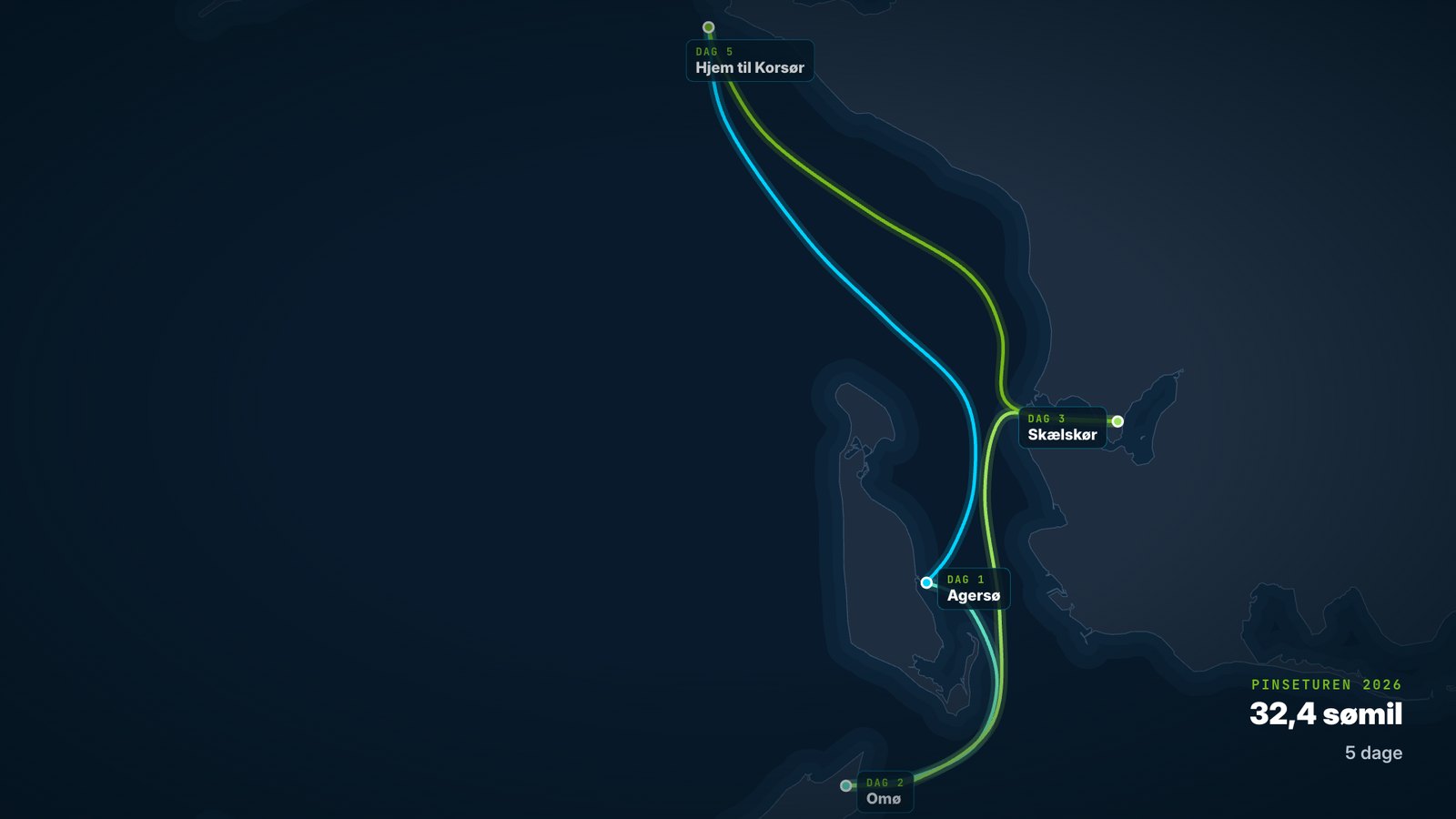
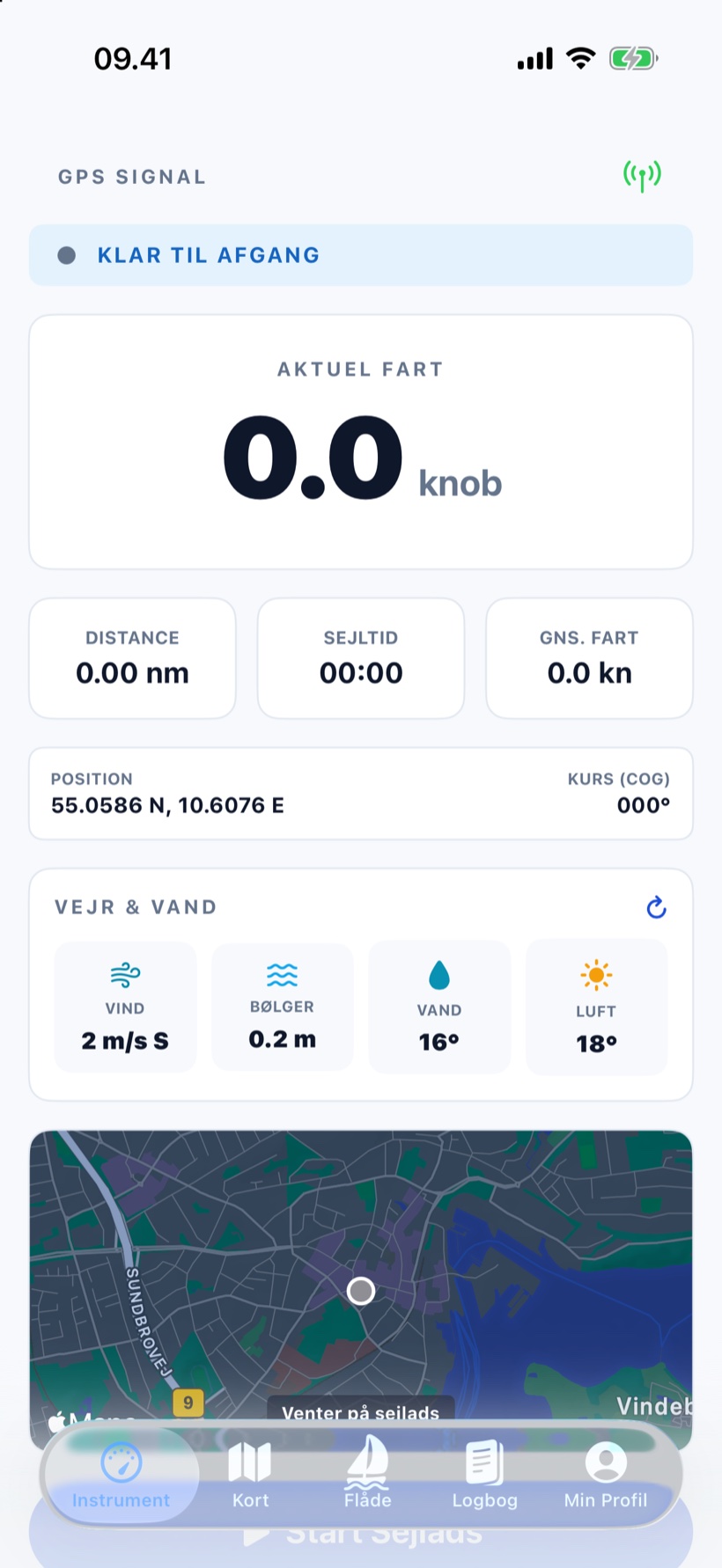
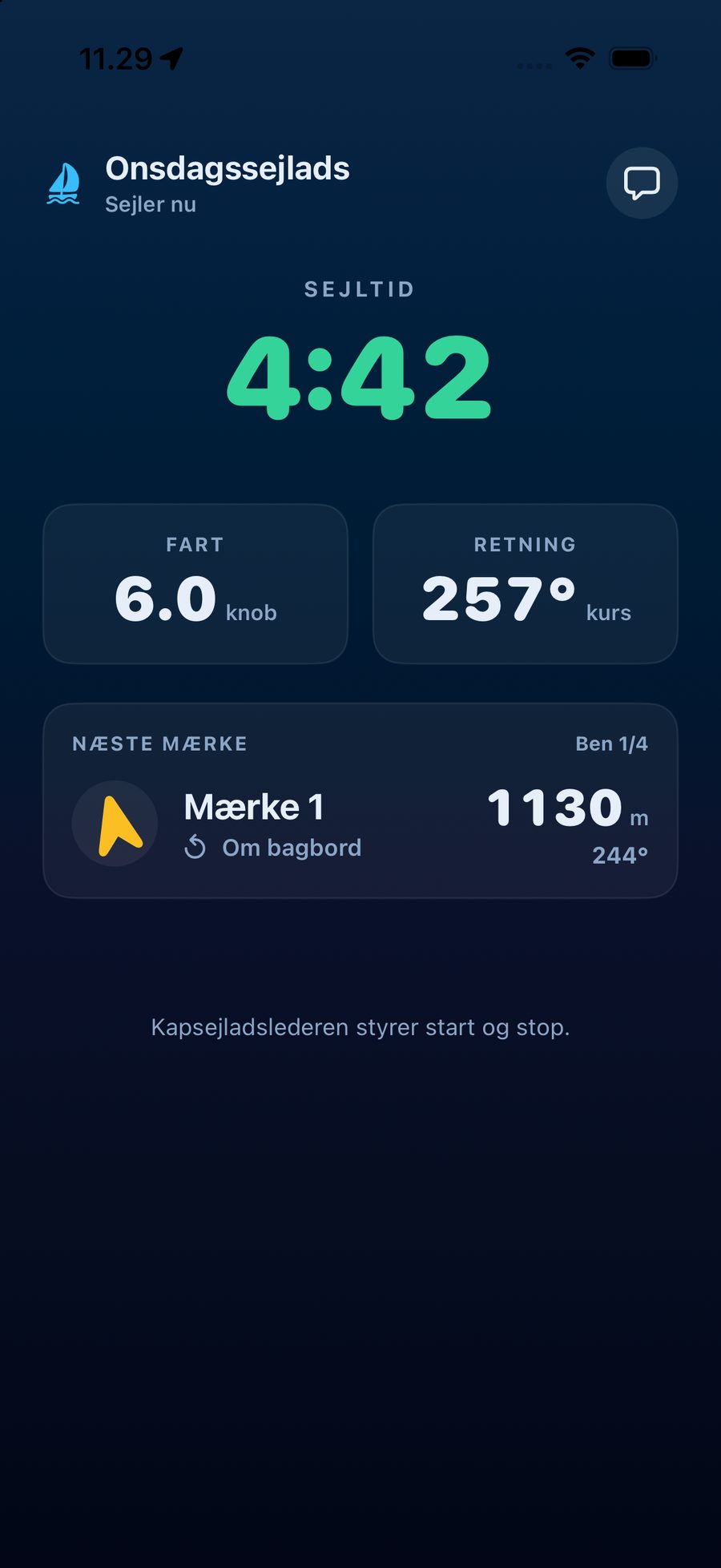
A dark chart of the Great Belt with a five-day Whitsun cruise: Korsør to Agersø, Omø, Skælskør and home, 32.4 nautical miles in all. The instrument screen in Sailing Log with current speed, distance, time under way, position, weather and the chartplotter.
A five-day Whitsun cruise, put together by the logbook — and the instrument screen that drew it.
~390Danish harbours in the harbour guide, with star ratings and reviews from other sailors
21features — from tracking and route planning to the season summary and club racing
2platforms: iPhone and Android see the same fleet
Freeto download — and no plotter or box on board

Campaign film

The whole app in one minute

Live instruments, AIS and sea marks, route planning around shallow water, the fleet, the logbook, competitions and club racing on the big screen. The film is in Danish.

How it works

From the pontoon to the logbook without thinking about it

You press once. The rest happens by itself, even with the phone in your pocket and the screen locked.

  1. Press start«Start Sejlads» on the instrument screen. GPS signal quality is always shown.
  2. The app logsRoute, speed and time under way are recorded in the background — on long passages too.
  3. The trip is savedNautical miles, average and top speed and time under way go straight into your logbook.
  4. Share and compareAs a story, in your friends' feed and in the race for the most miles.

Instrument

Speed in knots, distance, time under way, average speed, position, course and the weather right where you are.

Chart

Route planning with your draught, AIS ships, wind hour by hour, sea marks from OpenSeaMap and satellite imagery.

Fleet

Your friends live with speed and heading, sailors nearby, the radar and friend requests.

Logbook

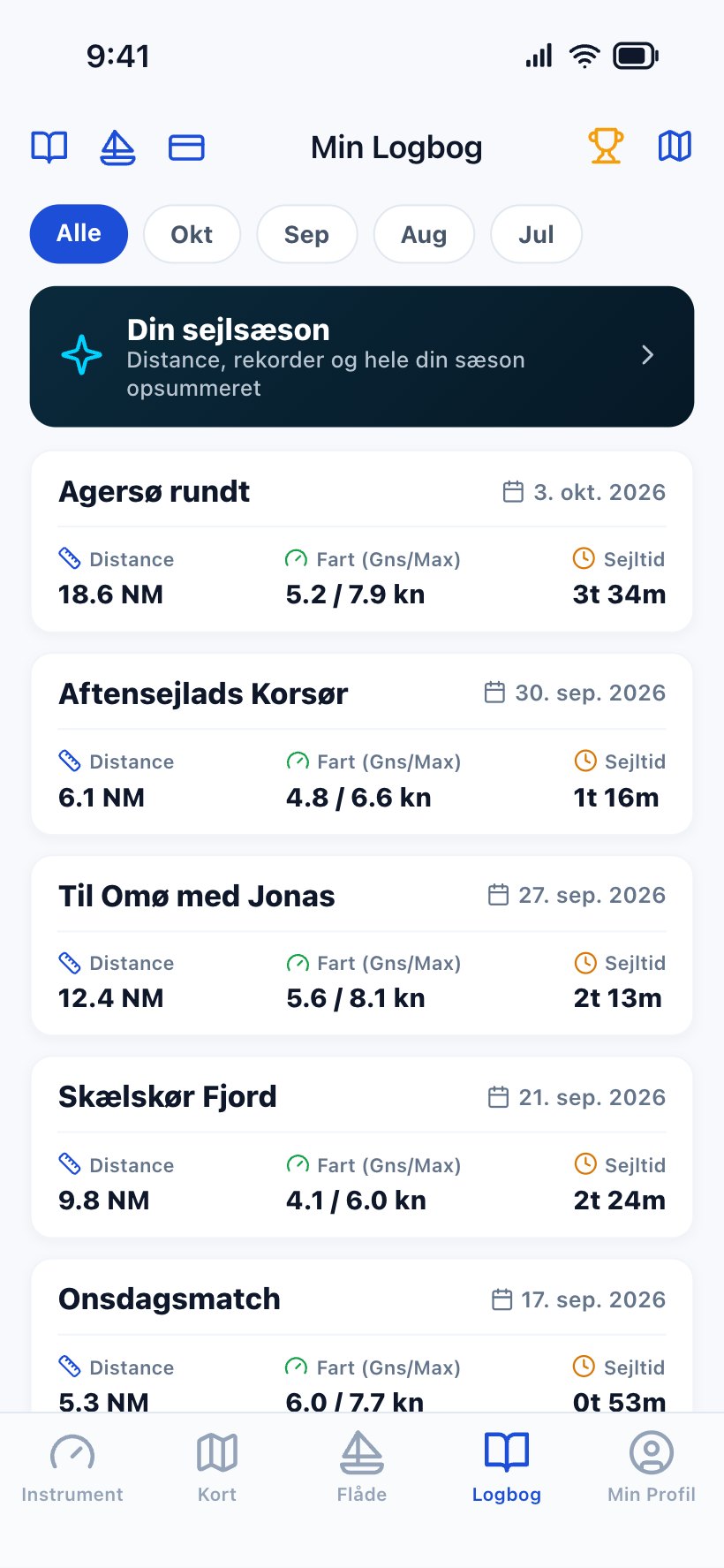
Every trip with route, numbers, notes and a diary. Replay it, share it, and see the whole season at once.

Harbour guide

Around 390 Danish harbours, nearest first, with facilities, star ratings and reviews.

Club racing

For sailing clubs: calendar, entries with entry fees, live on the big screen and results with handicap. See the club module

Instrument and logbook

An instrument panel in your pocket — and a logbook that writes itself

The instrument screen shows what you need under way, in large numbers. When you press stop, the trip is in the logbook with route and numbers — ready to be replayed, written up or shared.
  • Speed, distance and time under way in numbers you can read from the cockpit.
  • Position and course over ground — and compass heading when the boat is still.
  • Weather and water at your position: wind, waves, water and air temperature.
  • Background GPS. Logging continues with the screen locked, on iPhone and Android.
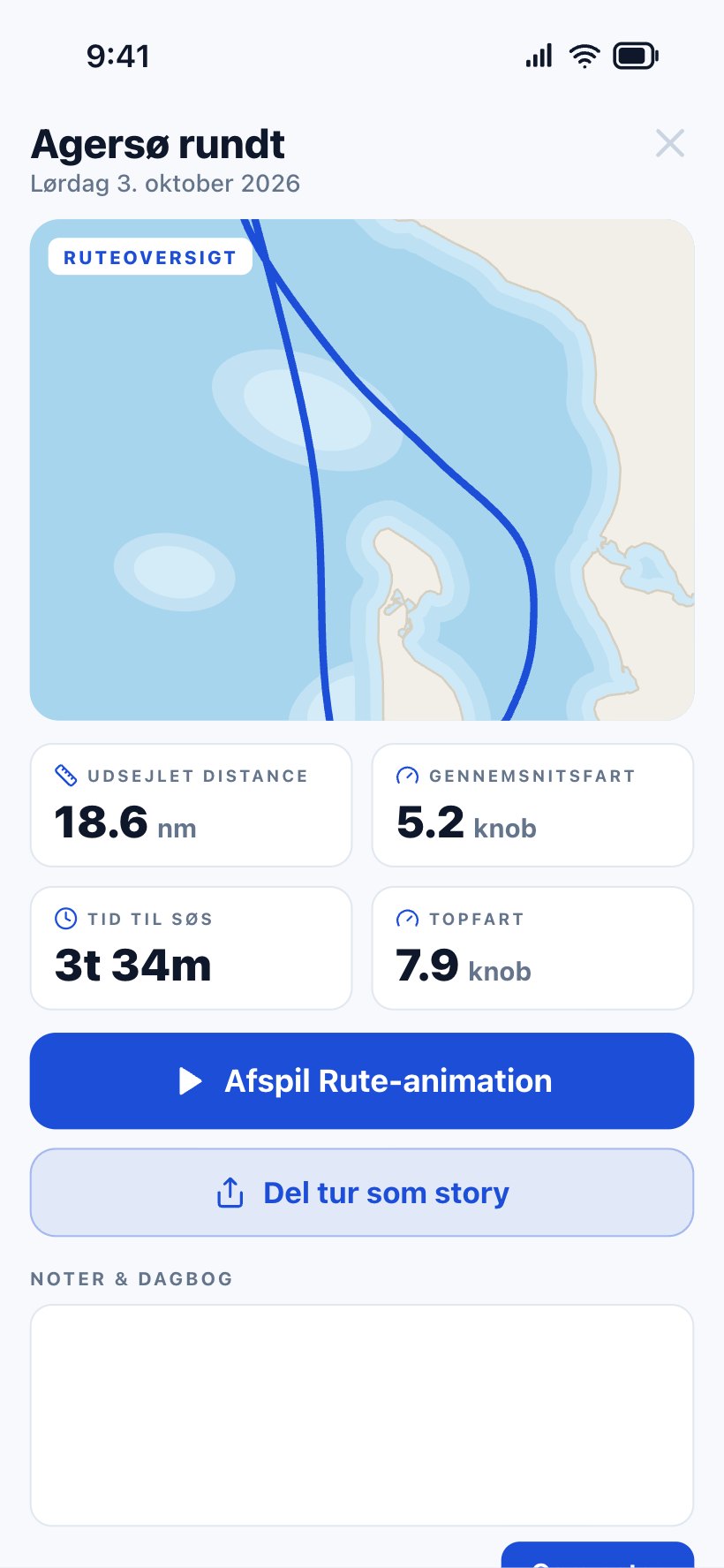
  • Replay the trip as a route animation on the chart.
  • Notes and a diary for every trip — the best moments, in your own words.
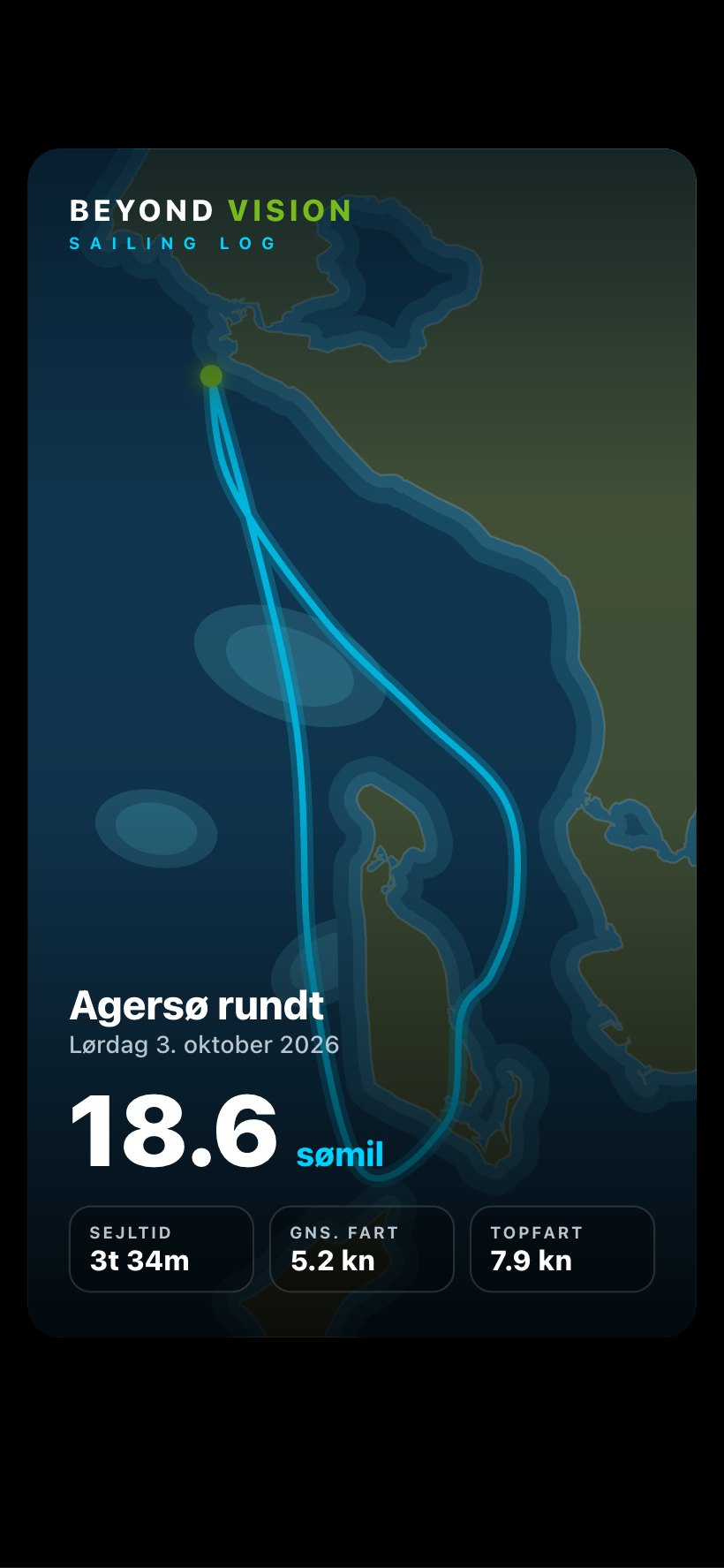
A trip in the logbook: Agersø rundt with the route overview on the chart, 18.6 nautical miles, 5.2 knots average, 3 hours 34 minutes and a top speed of 7.9 knots. The logbook with month filters, a shortcut to the season summary and a list of trips with distance, speed and time under way.

The chart

Plan around the shallows — and see what is going on around you

Choose start and destination, enter your draught, and the app finds a route around shallow water and land using real depth data. The same chart shows the ships, the wind and the sea marks.

  • Depth-aware route planner built on EMODnet bathymetry, with distance, expected time and the shallowest depth on the route.
  • AIS ships around the boat with name, speed and course.
  • Wind hour by hour as arrows on the chart, with a timeline you can scrub.
  • Buoys and sea marks from OpenSeaMap as a layer on the chart.
  • Satellite imagery when you want to see the coast and the harbour up close.

The route planner is a planning tool — not a navigation or safety instrument. Sailing Log does not replace charts or a chartplotter.
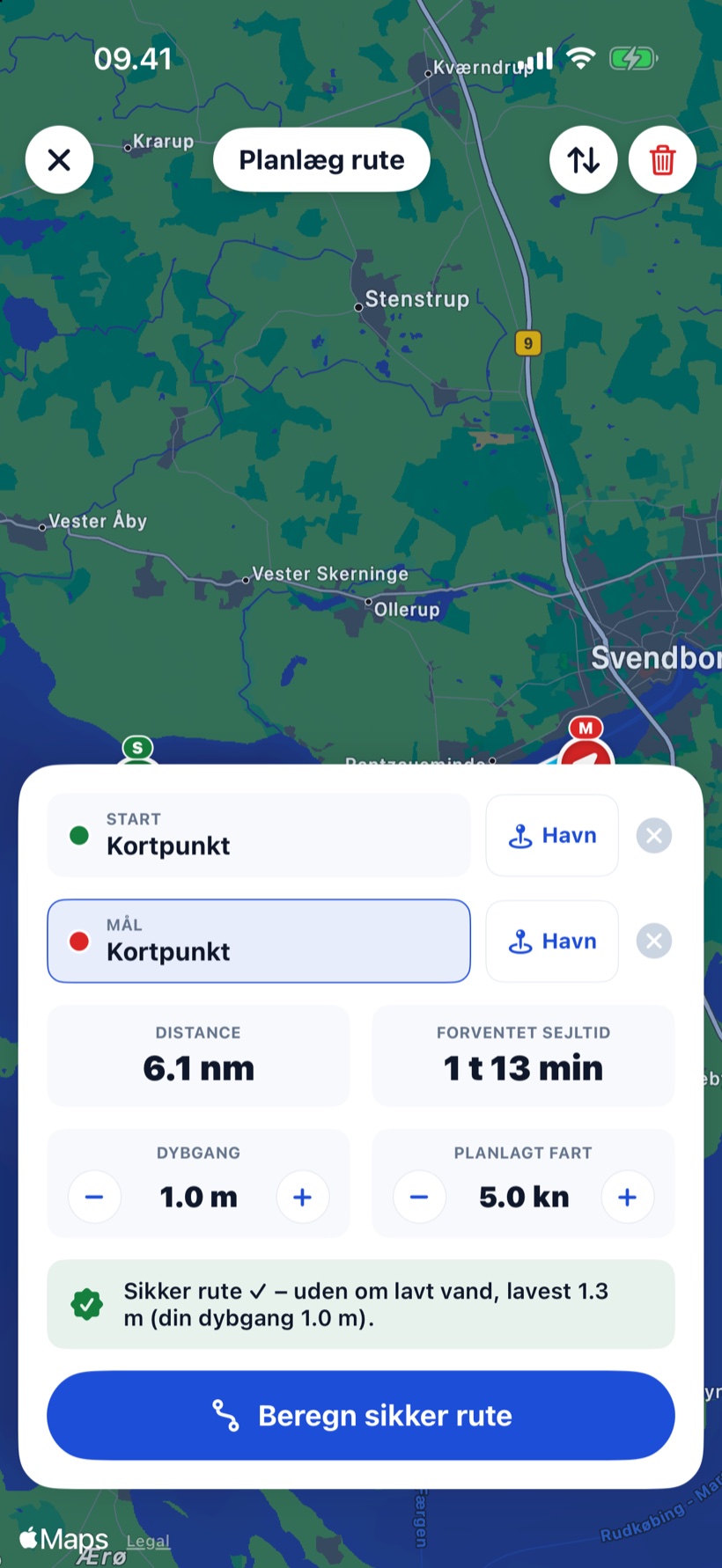
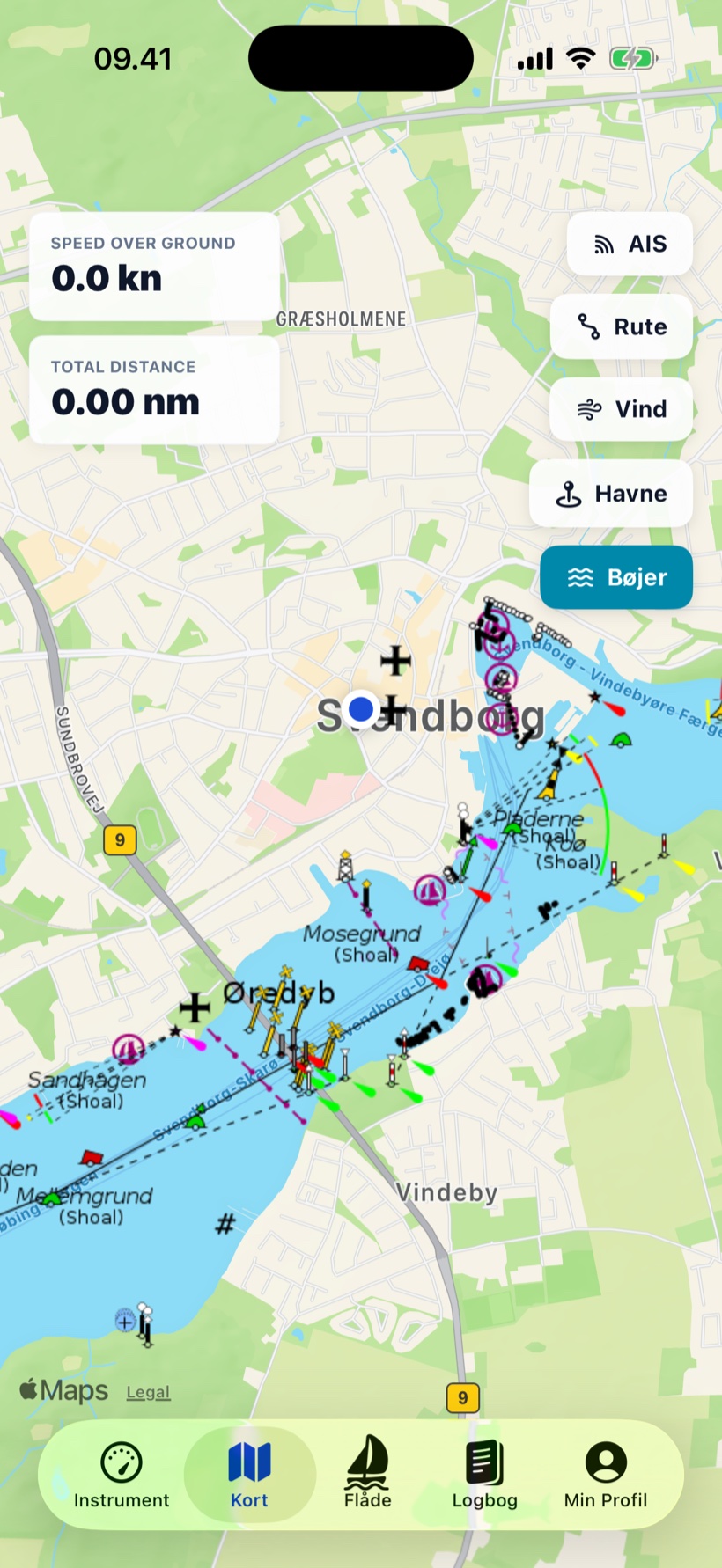
The route planner with start and destination, a draught of 1.0 metres and the message that the route avoids shallow water, shallowest 1.3 metres. The chart with the buoys layer switched on: sea marks, shoals and channels around Svendborg.

The fleet

See your friends on the water — and meet new ones in the harbour

The fleet tab shows boats live on the chart with speed, heading and status. You decide whether your position is for friends only or the whole fleet.

  • Live position, heading, speed in knots and under way or in harbour — across iPhone and Android.
  • Public or friends only. You choose in your profile.
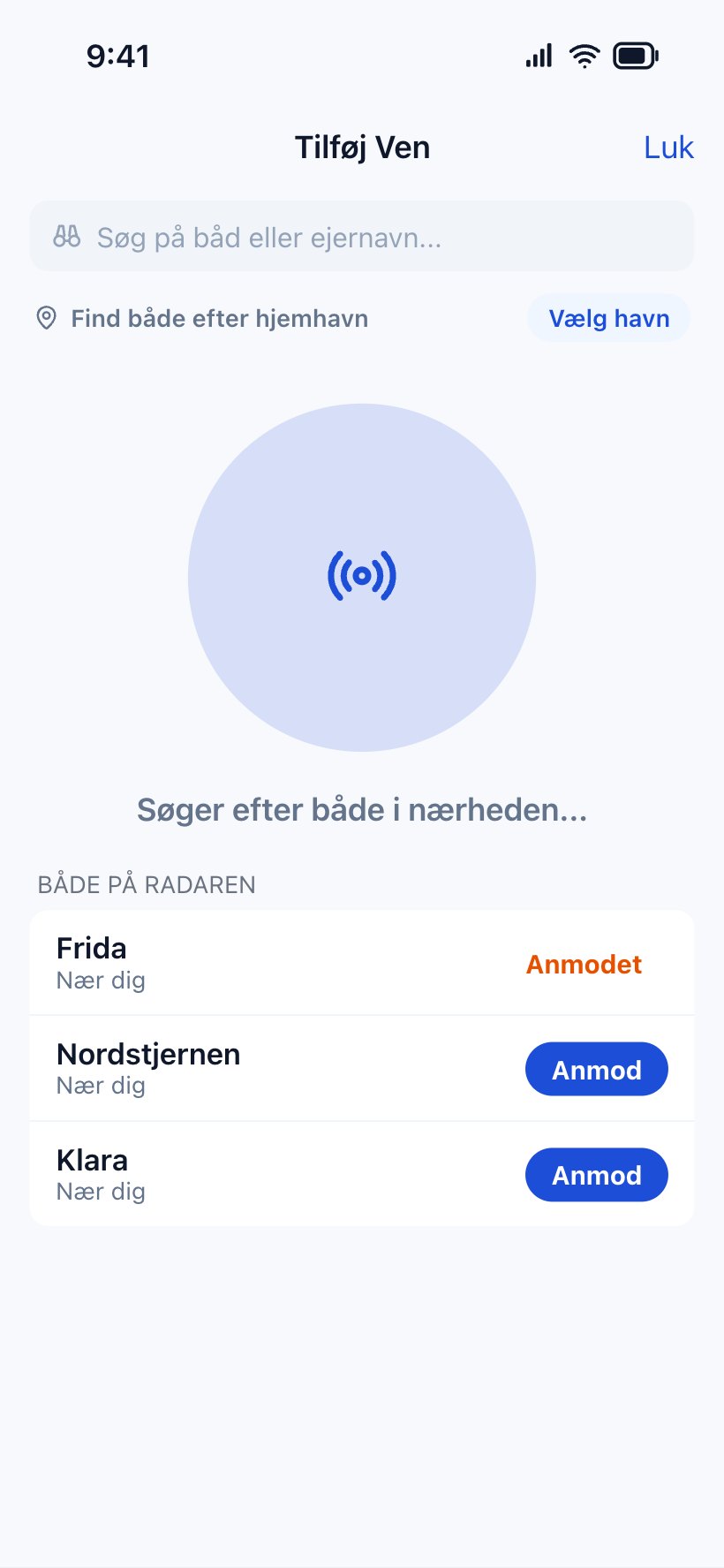
  • The radar finds boats right around you, and one tap sends a friend request.
  • Sailors nearby within 10, 25, 50 or 100 km.
  • Shared logbook. Press and hold a friend to share your logbook with the crew.
  • Activity feed with your friends' latest trips.

An AIS alternative that needs no hardware — the fleet is followed from the crew's own phones.
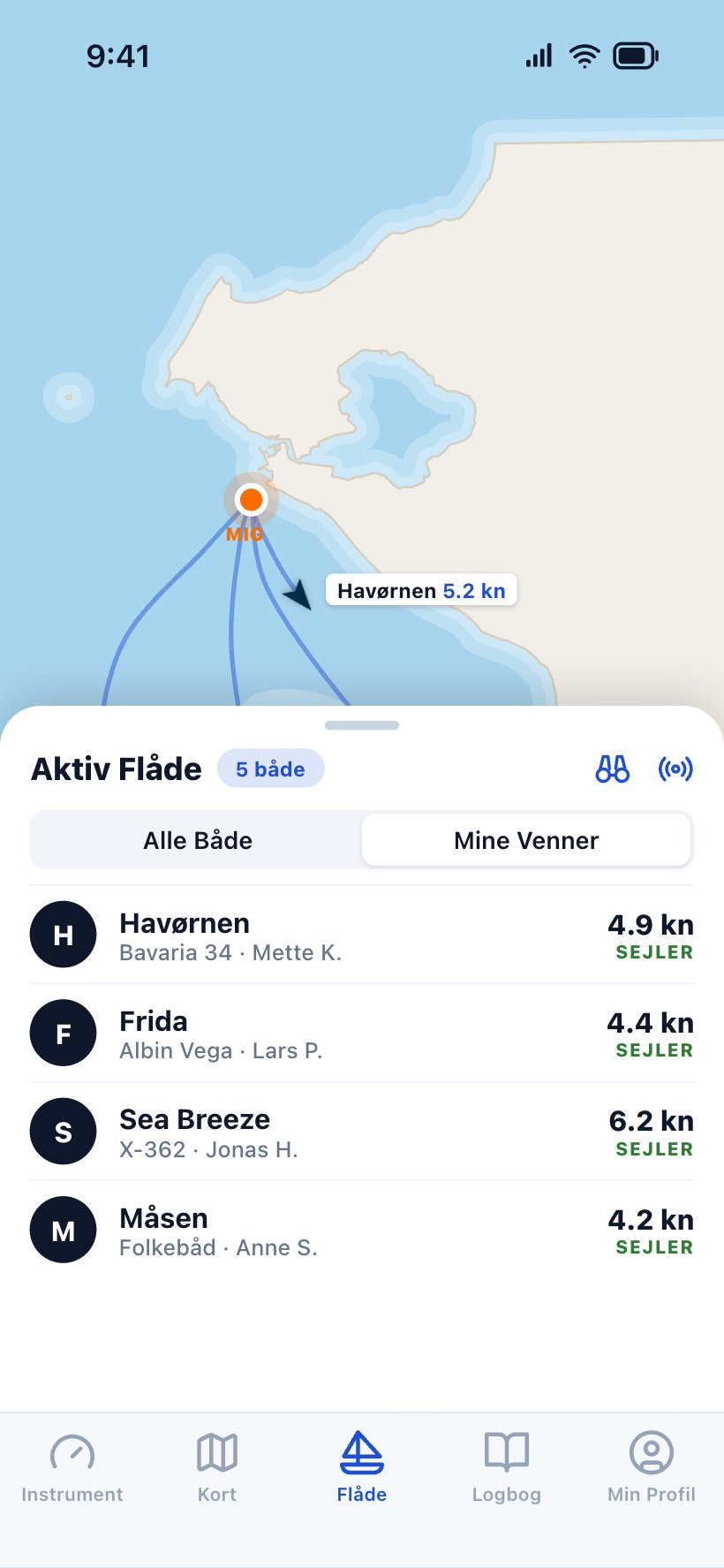
The fleet tab with friends' boats live on the chart and the active fleet list with speed and status. Adding a friend with the radar, which searches for boats nearby, with request buttons.

Harbour guide

Around 390 harbours — and what sailors say about them

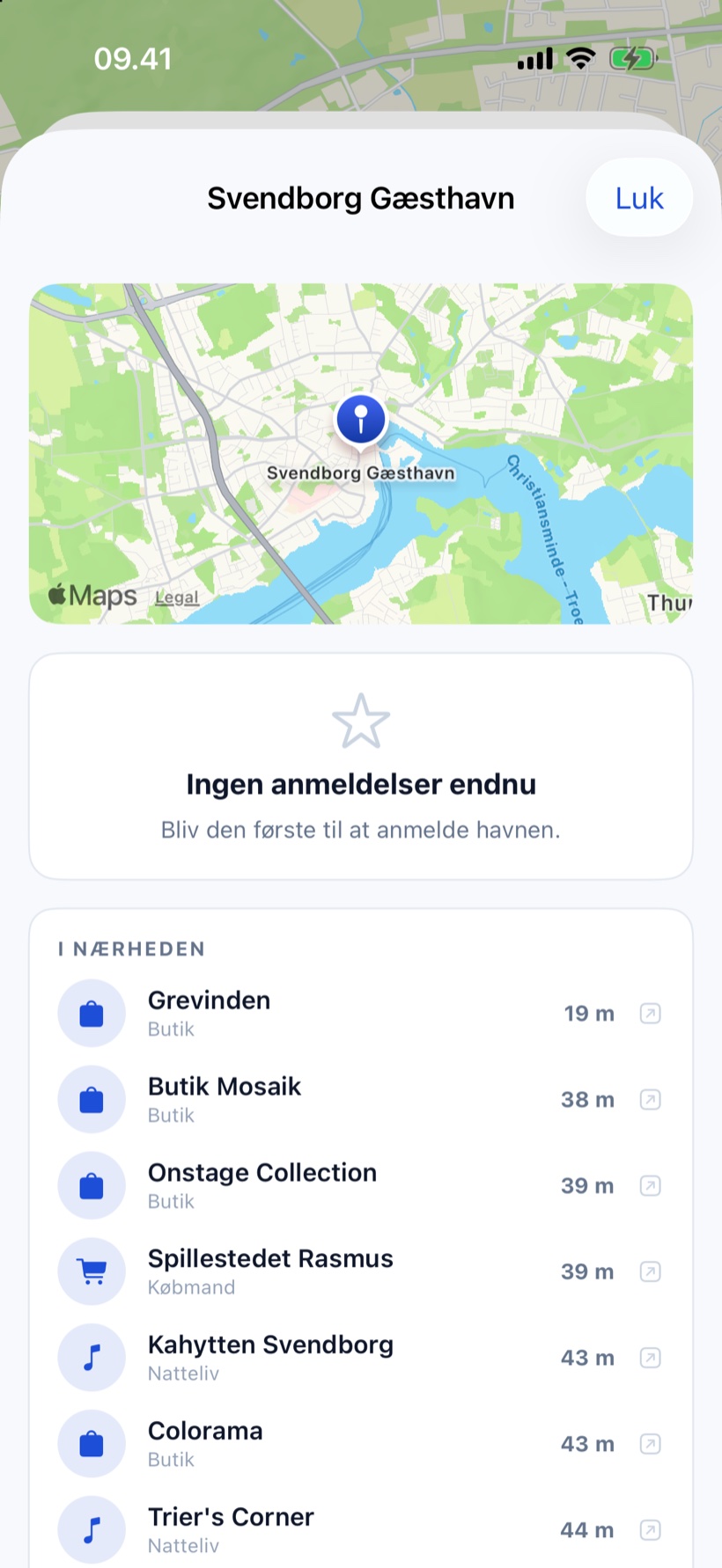
The harbour guide puts the nearest harbour first, with a chart, facilities and star ratings. Sailors build the content themselves with their reviews.
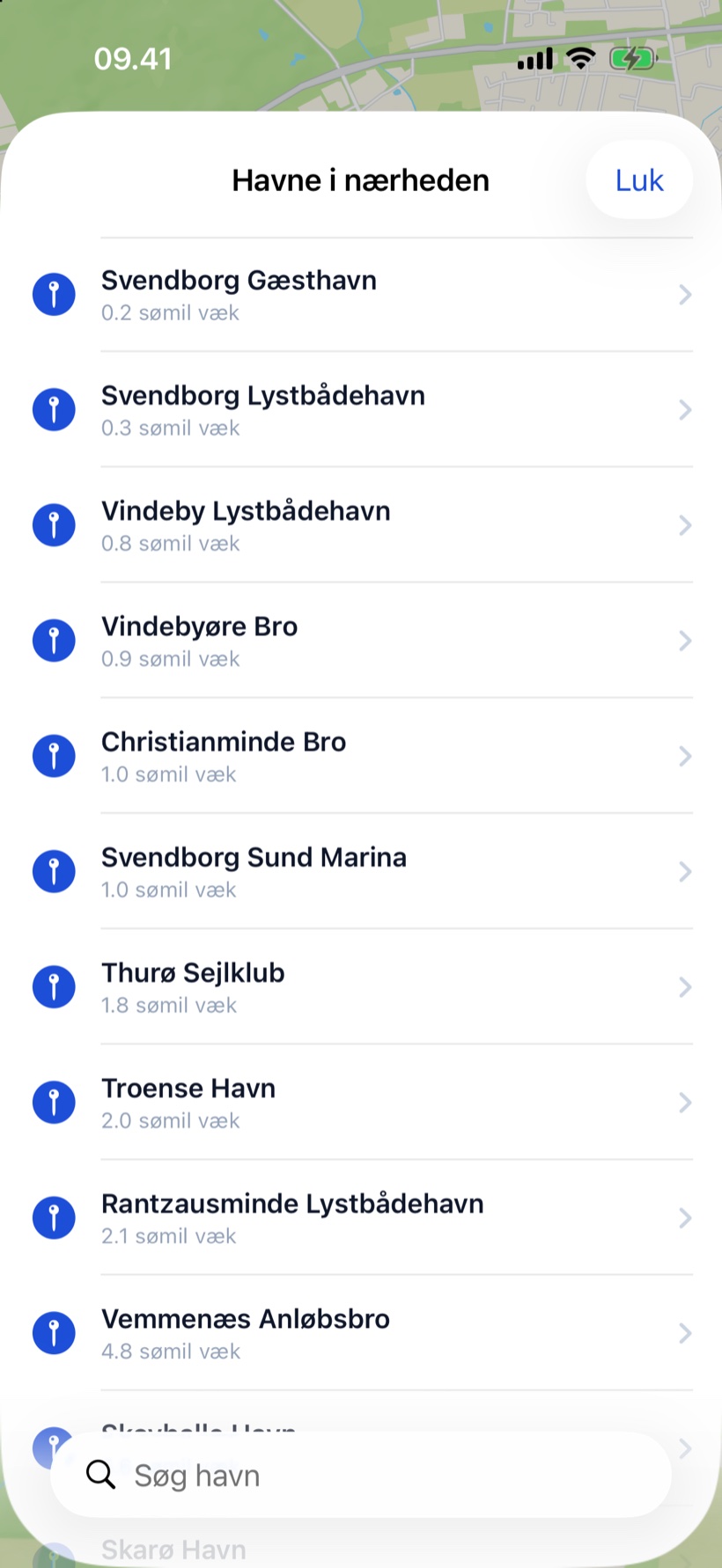
  • Search, or pick the nearest — sorted by distance in nautical miles.
  • 1–5 stars and a review from other sailors, and you can always edit your own.
  • Facilities such as showers, toilets, power, diesel, Wi-Fi, barbecue and places to eat.
  • Nearby: restaurants, shops, museums, beaches and fuel close to the harbour (iPhone).
Harbours nearby: a list of harbours around Svendborg with distance in nautical miles. A harbour in the harbour guide with chart, reviews and places nearby.

For sailing clubs

The club module — racing from entry to results

Officers set up the season in a browser, sailors enter in the app or on the web, and the race runs live on the big screen in the clubhouse. Results, series standings and a result card are ready when the last boat finishes. A season licence with 30 days free.
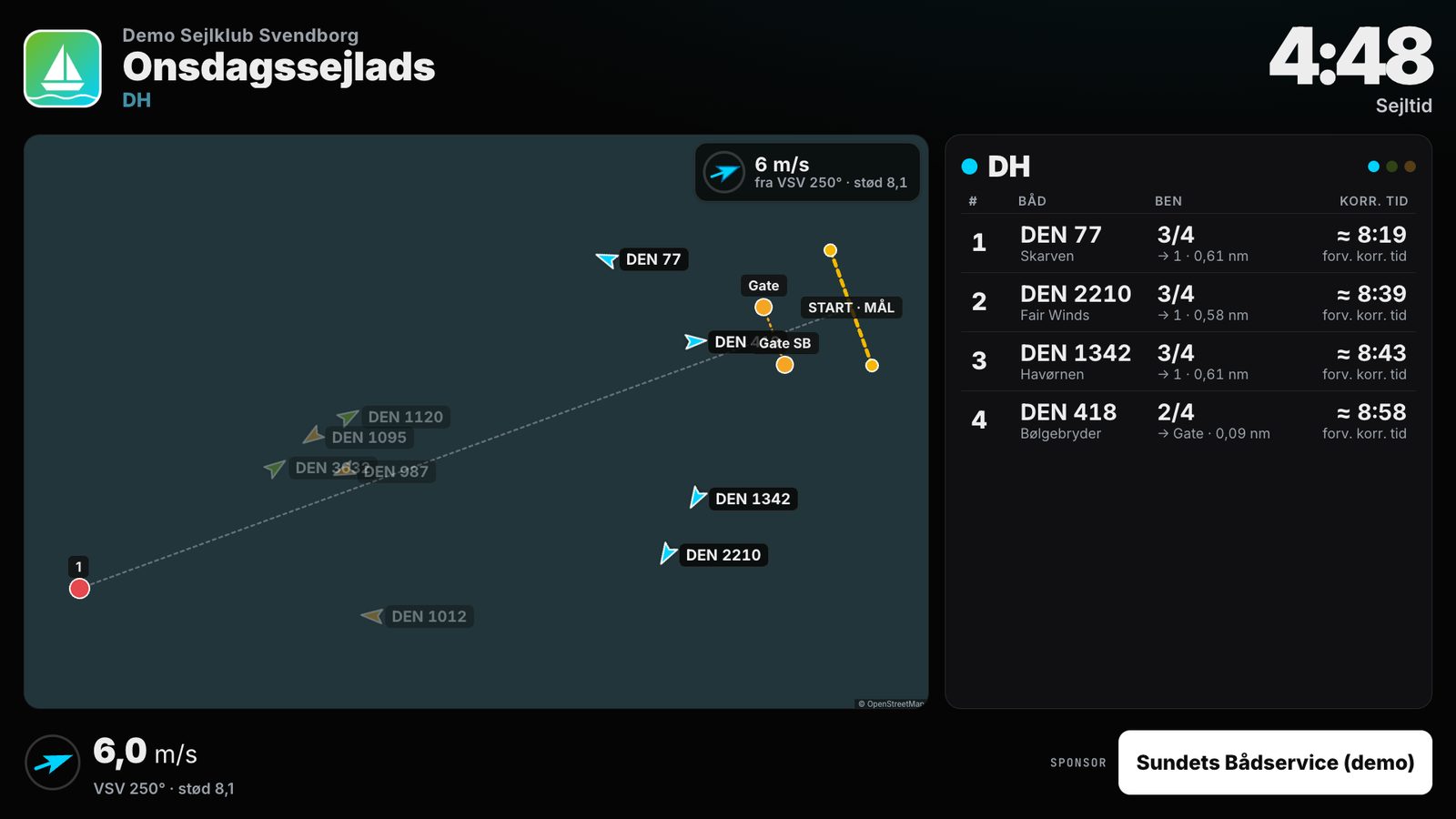
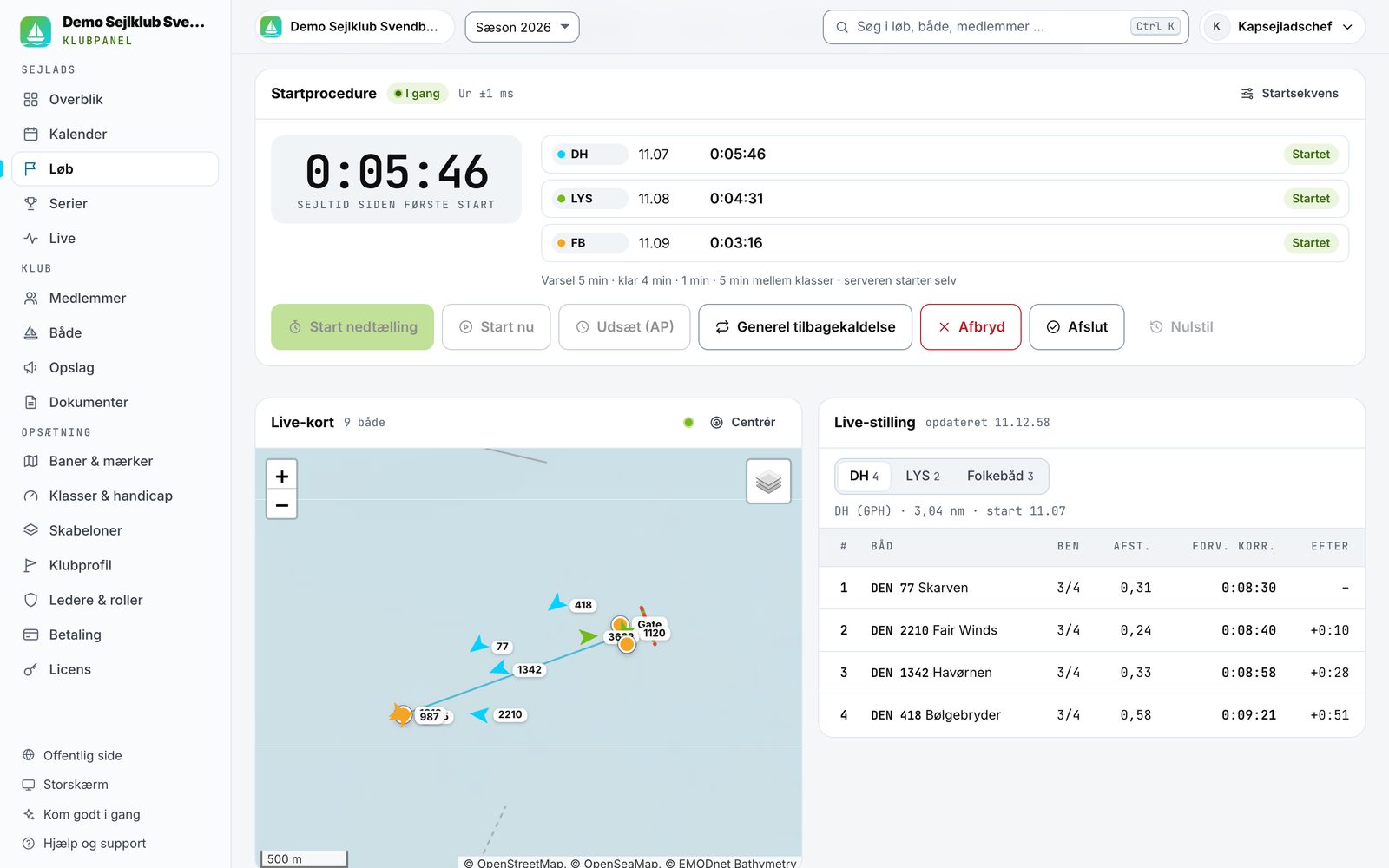
The club module in one minute: from calendar to share card.
The big screen during a Wednesday race at the demo club: boats live on the chart around the marks, elapsed time, wind and the DH class standings.
The big screen. Chart, clock and live standings on a TV or projector in the clubhouse.
Start and live in the officer panel: start times for DH, LYS and Folkboat, a live chart with the boats and live standings with expected corrected time.
Start and live. Start sequence per class and live standings in the officer panel.
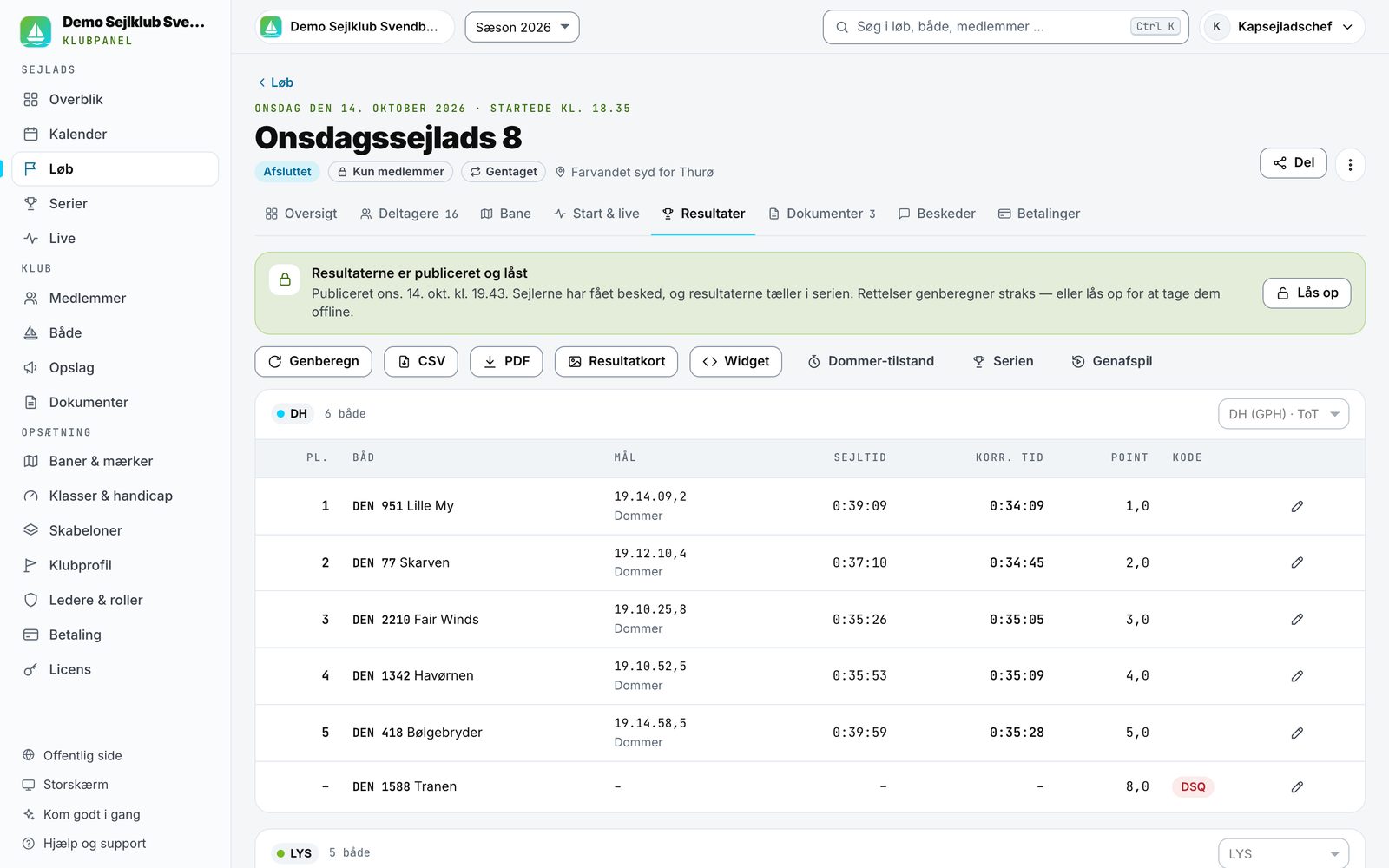
Results for Wednesday race 8 in the DH class with elapsed time, corrected time, points and a DSQ code.
Results. Corrected times are calculated for you.
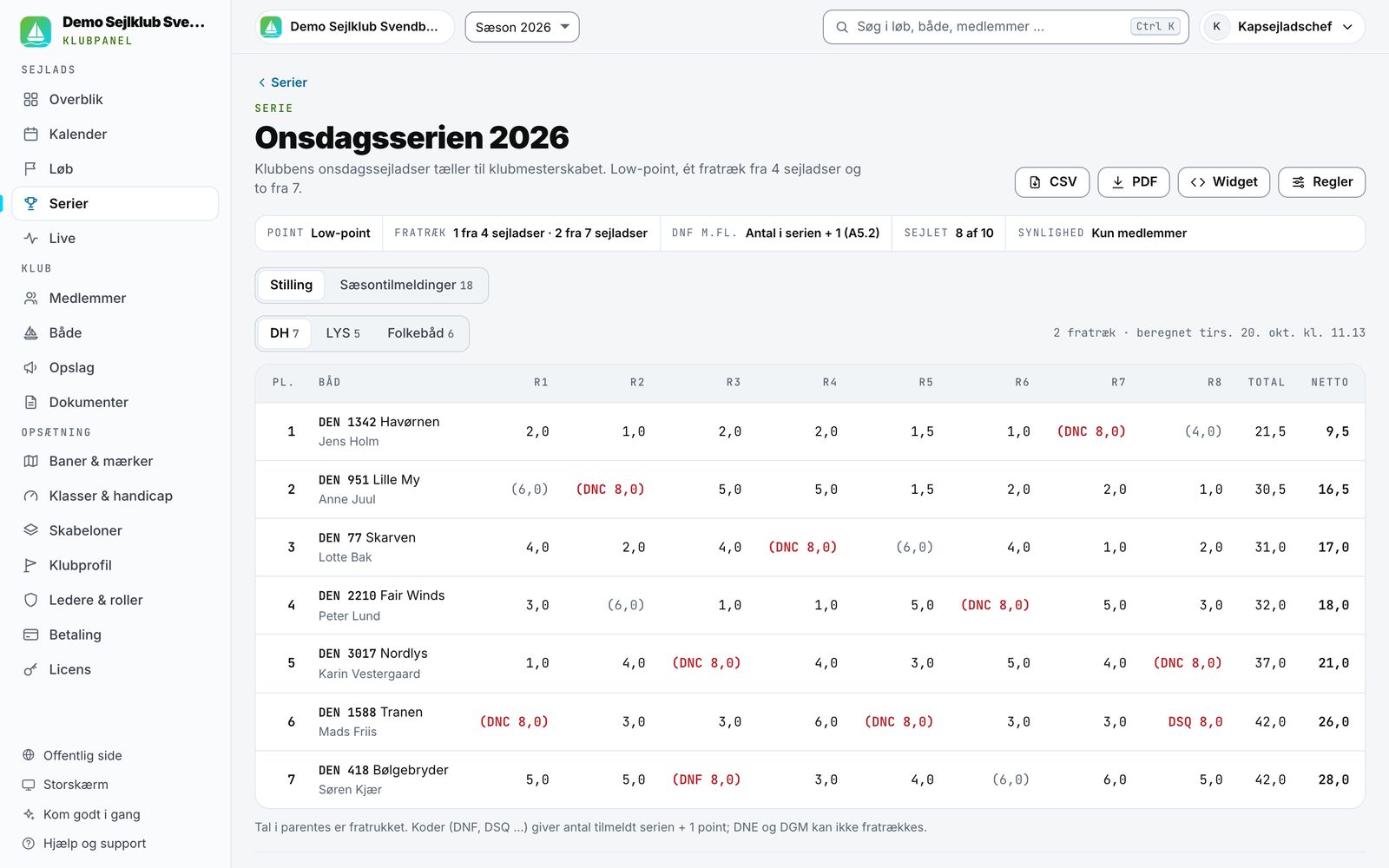
Series standings for the 2026 Wednesday series with points per race, discards and net score.
The series. Low-point with discards after every race.
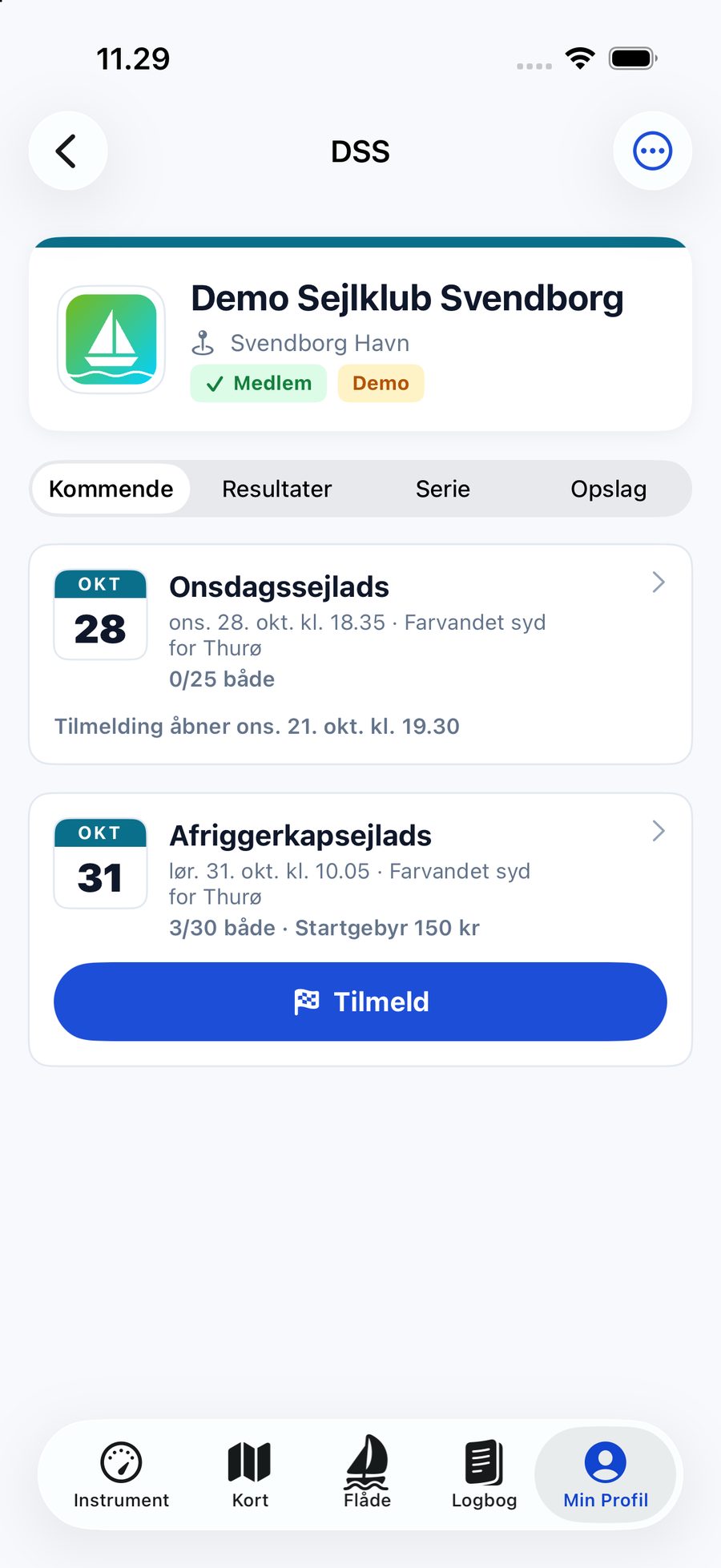
The club's page in the Sailing Log app with upcoming races, entry fee and the Enter button.Race mode in the app during the race with elapsed time, speed, heading and distance to the next mark.
In the app: one-tap entry — and race mode with the next mark (shown in Danish).
  • Season calendar and recurring races. "Every Wednesday from May to September" is created in one go.
  • Entries with entry fees by card or MobilePay via Stripe — the money goes to the club's own account. A waiting list when the race is full.
  • Course editor with depth, sea marks, gates and the club's saved marks.
  • Check-in from the app. Officers see who is on the water before the start.
  • Start sequence and live tracking. Officers run the start; sailors get the countdown and next mark in the app.
  • Big screen and live page for the clubhouse and for family ashore.
  • Finish-boat mode with a big FINISH button on a tablet — even offline.
  • Results with DH/GPH, LYS, ORC and One Design and series standings with discards.
  • Result cards for Facebook and Instagram and a widget for the club's website.
  • Replay of the whole race for the debrief in the clubhouse.

The season

Your whole season — beautifully wrapped up

The logbook holds more than numbers. The season summary collects the year, the heat map shows where you sail most, and your records keep track of your best trips. All of it can be shared as a 9:16 story card.
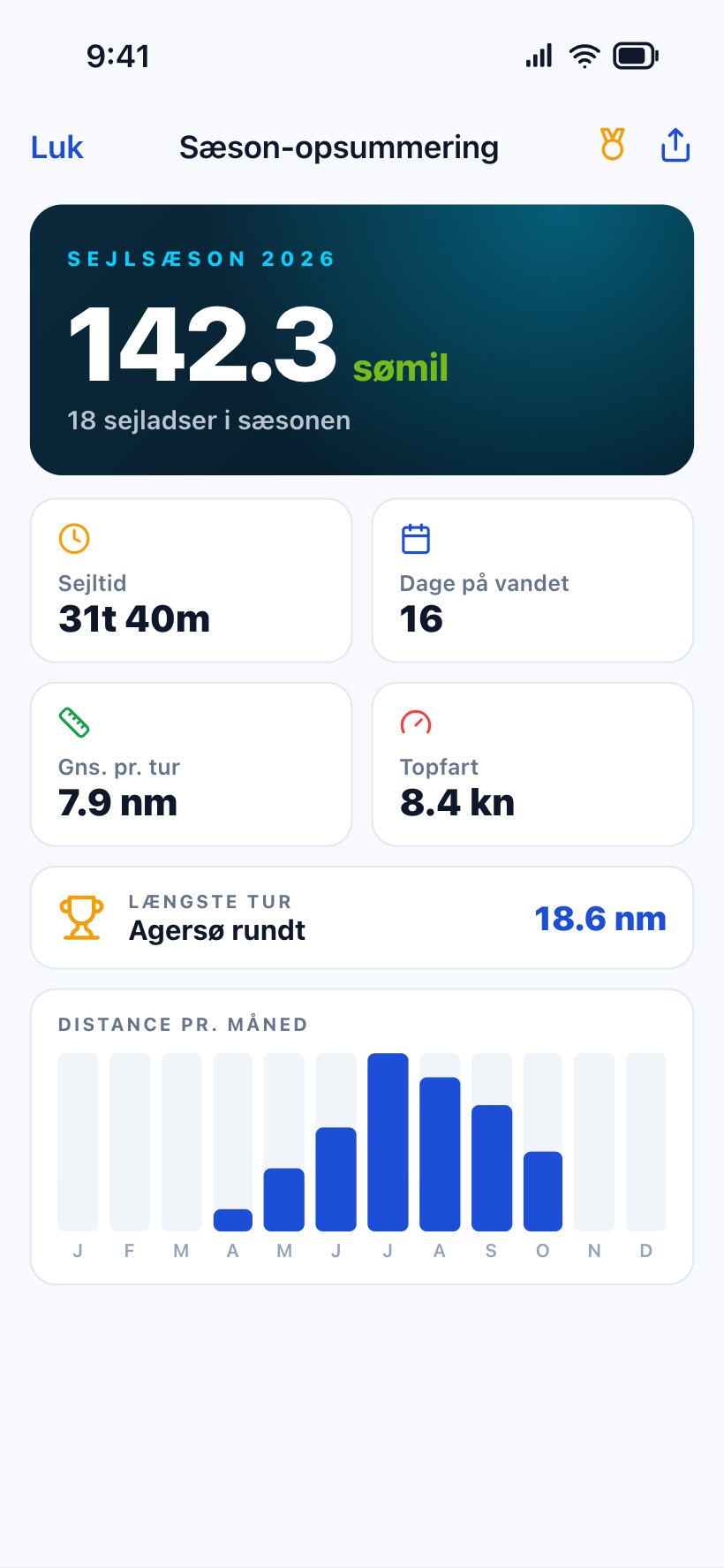
Season summary with 142.3 nautical miles, 18 trips, time under way, days on the water and distance per month.
Season summary. Miles, trips, days on the water and distance per month.
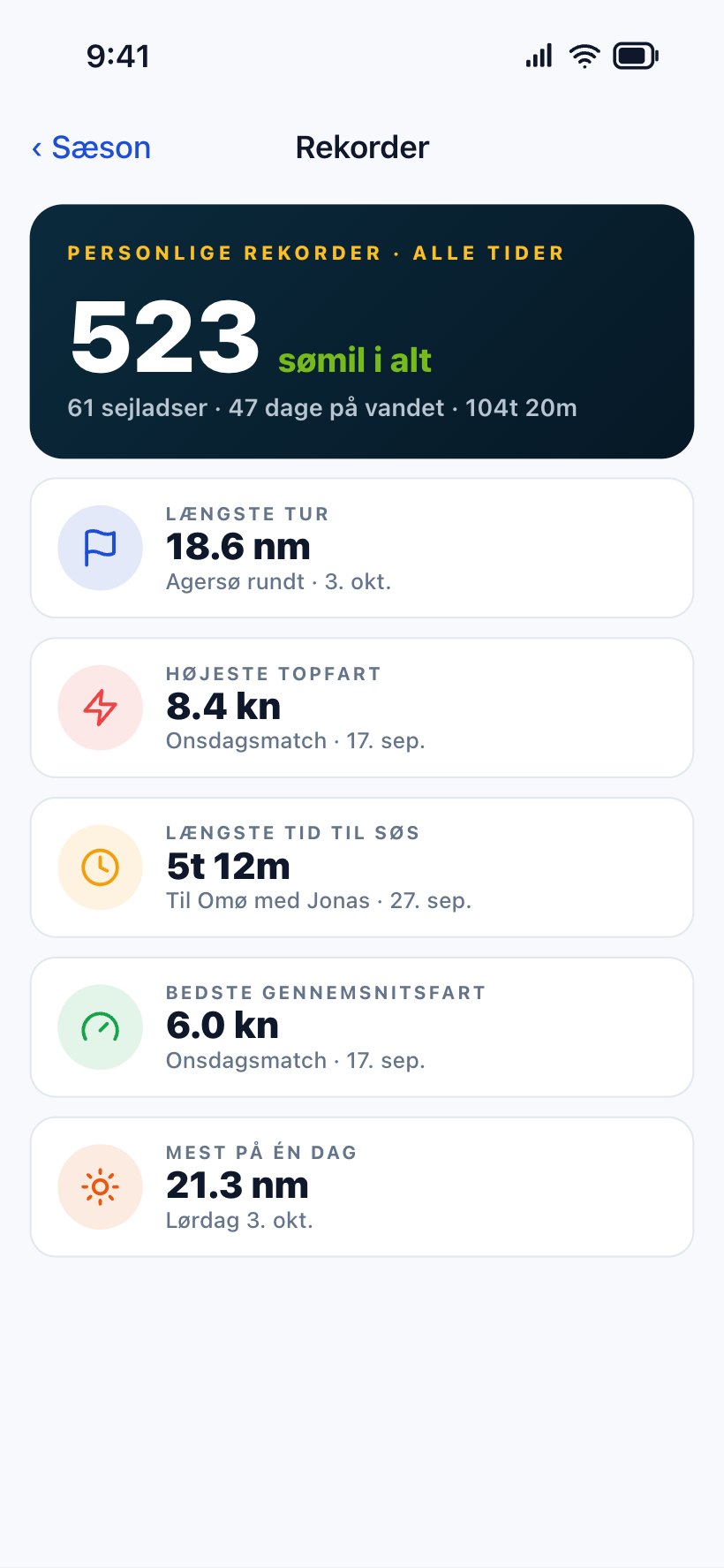
Personal records: longest trip, top speed, longest time at sea, best average speed and most in one day.
Records. Longest trip, top speed and most hours at sea.
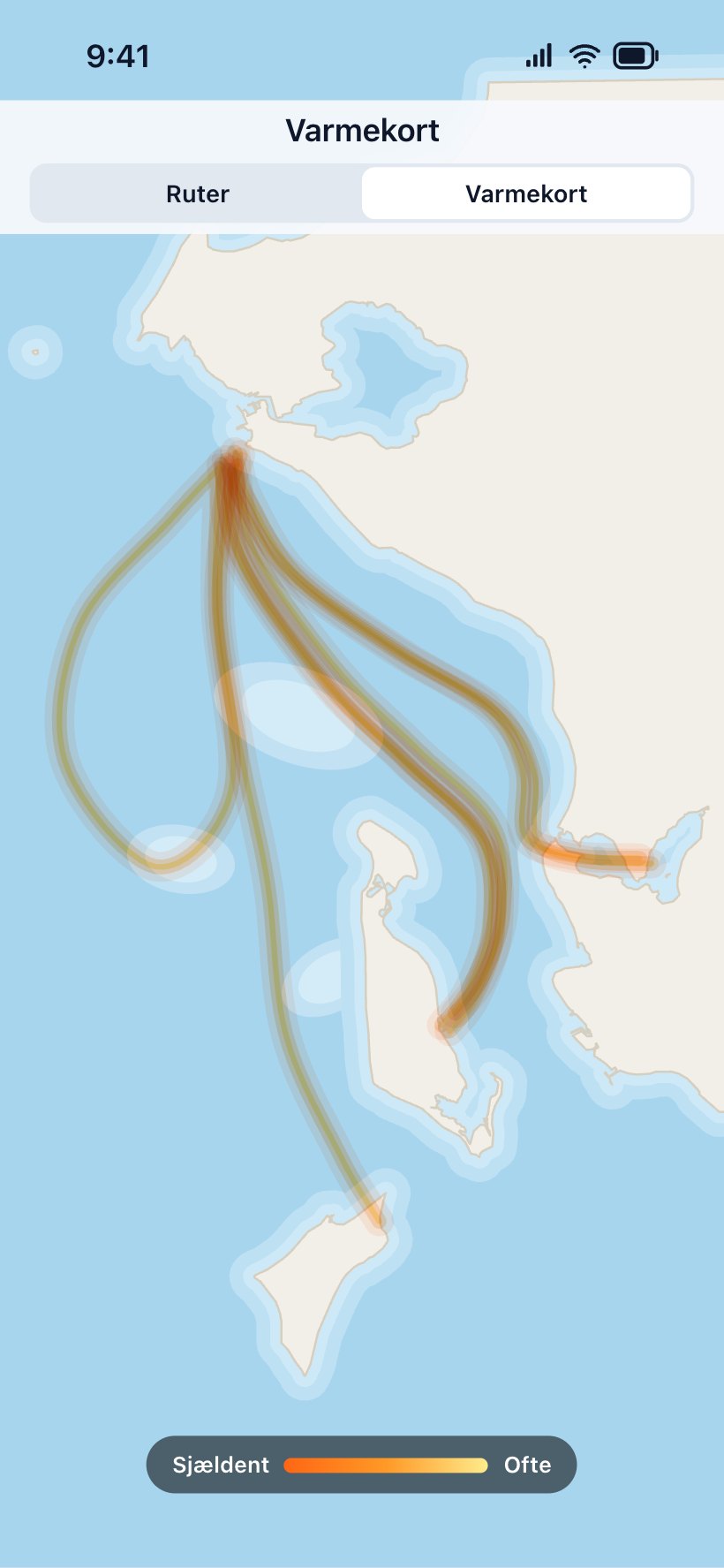
The heat map with every route layered, so the most-sailed waters glow.
Heat map. Your favourite waters glow hottest.
A story card with the route Agersø rundt on a dark chart, 18.6 nautical miles, time under way, average and top speed.
Story card. Share a trip, a holiday or the season.

Costs and competitions

What did the trip cost — and who sailed furthest?

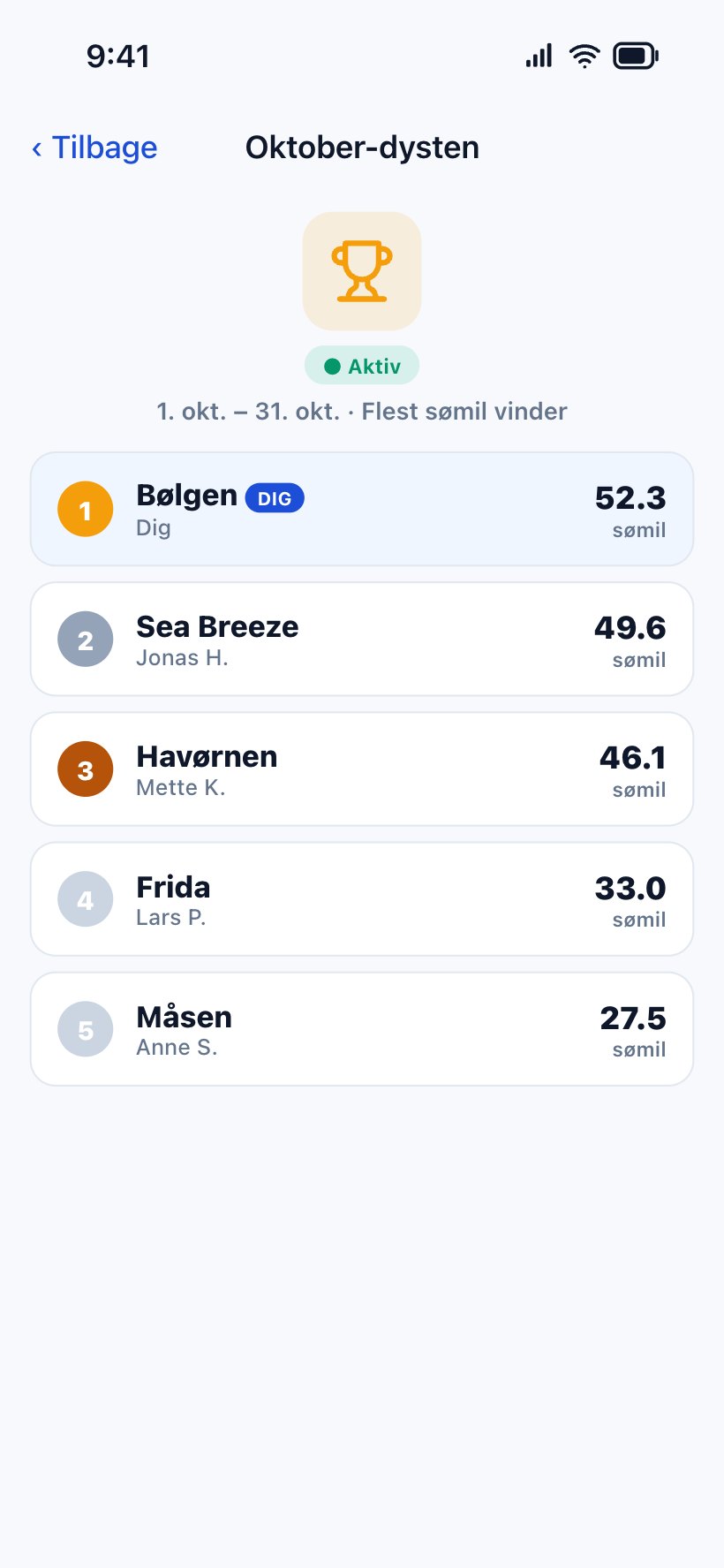
Collect the expenses for a trip and see what sailing actually costs per nautical mile. Useful the day someone asks whether the boat is worth it. And challenge your friends to a contest for the most miles.
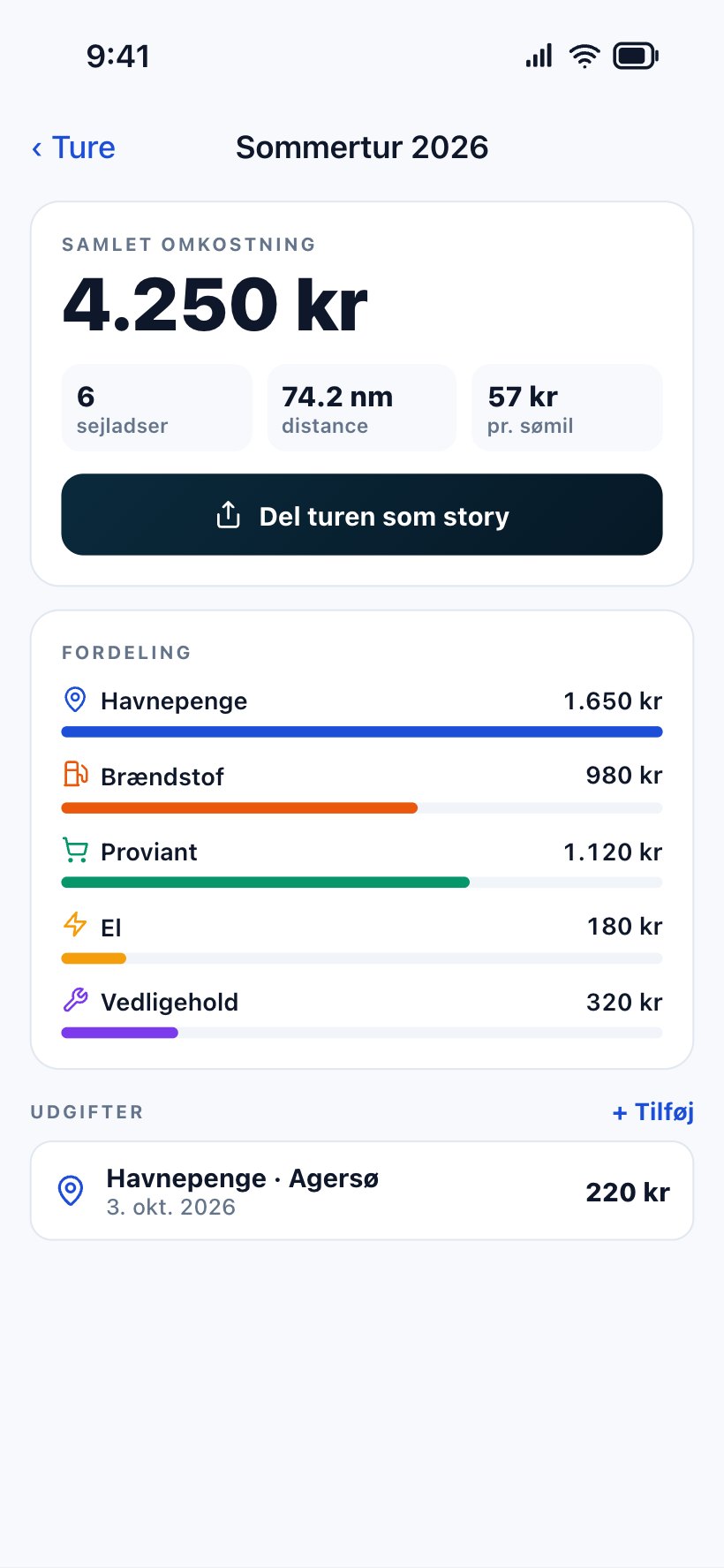
  • Trips and costs: harbour fees, fuel, power, provisions and maintenance.
  • Total, breakdown and cost per nautical mile for every trip or holiday.
  • Competitions with a name, a period and the friends taking part.
  • Live standings — every trip counts automatically.
A summer trip with a total cost of 4,250 kroner, split into harbour fees, fuel, provisions, power and maintenance. An October contest with the standings: five boats and their nautical miles, with your own boat highlighted.

Built by someone who sails, for people who sail.

Sailing Log started because keeping a logbook on paper is something everyone means to do and nobody does. The app does not ask you to remember anything: you press start when you leave, and the rest writes itself.

  • Private by default. Only you can edit your details, and your logbook is visible only to the friends you share it with.
  • Native apps for iPhone (SwiftUI) and Android (Jetpack Compose), with the same fleet and the same account.
  • Web companion with logbook, statistics and leaderboard in the browser.
  • For clubs and charter companies: an AIS-like overview of the whole fleet — without boxes on board.

Help centre →

Come aboard

Get it before the season starts

Download Sailing Log for free on iPhone or Android, and press start on your next trip. Running a sailing club? Try the club module free for 30 days.