Season calendar
The whole season on one page. "Every Wednesday from May to September" is created in one go — with exceptions for holidays and regattas.
Sailing Log club module
Set up the season once, and let entries, entry fees, live tracking, the big screen, results and series standings take care of themselves. Race officers work in the browser, sailors in the Sailing Log app they already have.
30 days free · no card required · every feature included
See it in a minute
The film follows a whole Wednesday race: the race officer creates the race, sailors enter with one tap, the big screen runs live, and the results are ready when the last boat finishes.
One system
Not a spreadsheet, an entry form and a results program that have to talk to each other. One season, one place — and sailors see the same as the race officers.
The whole season on one page. "Every Wednesday from May to September" is created in one go — with exceptions for holidays and regattas.
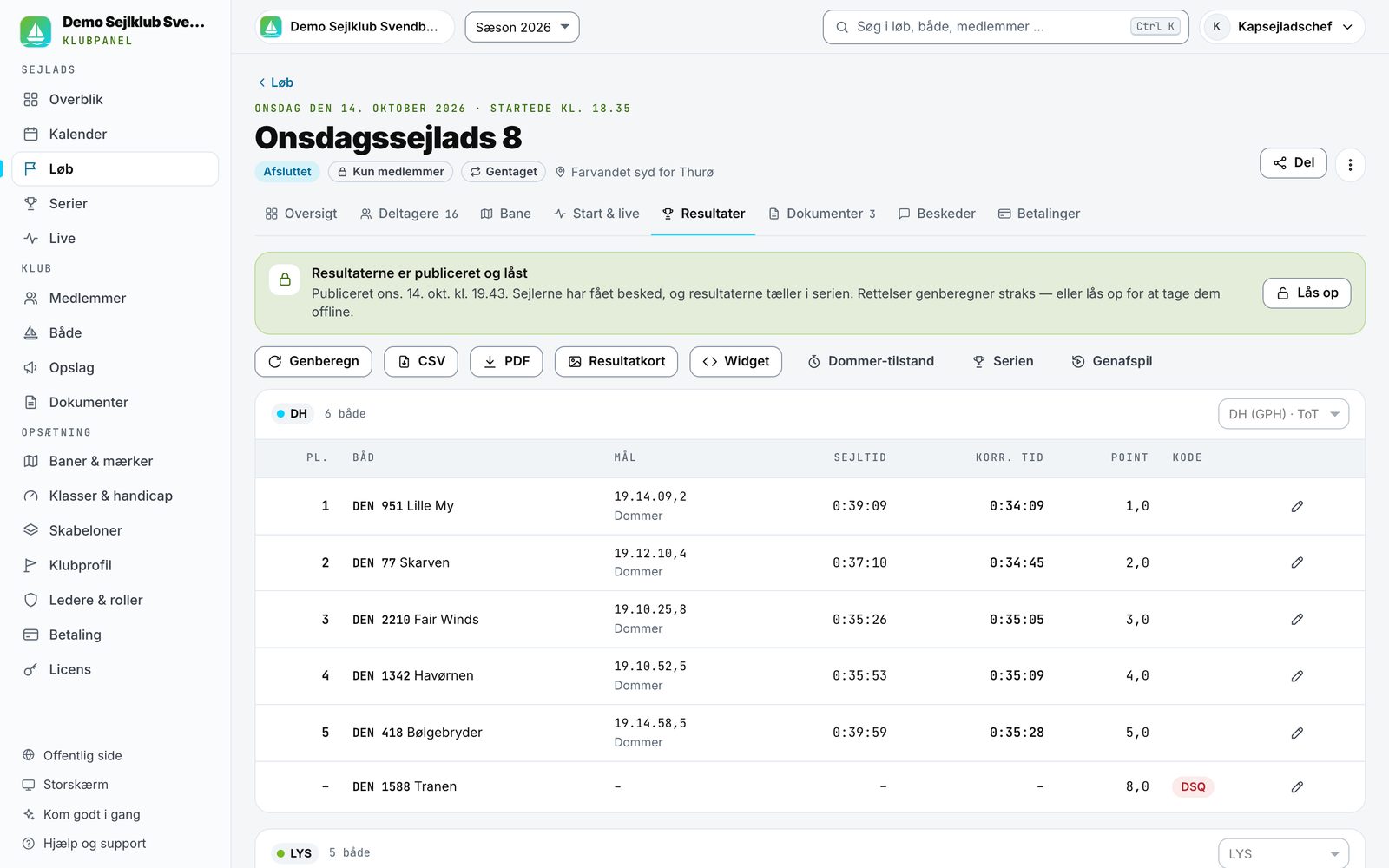
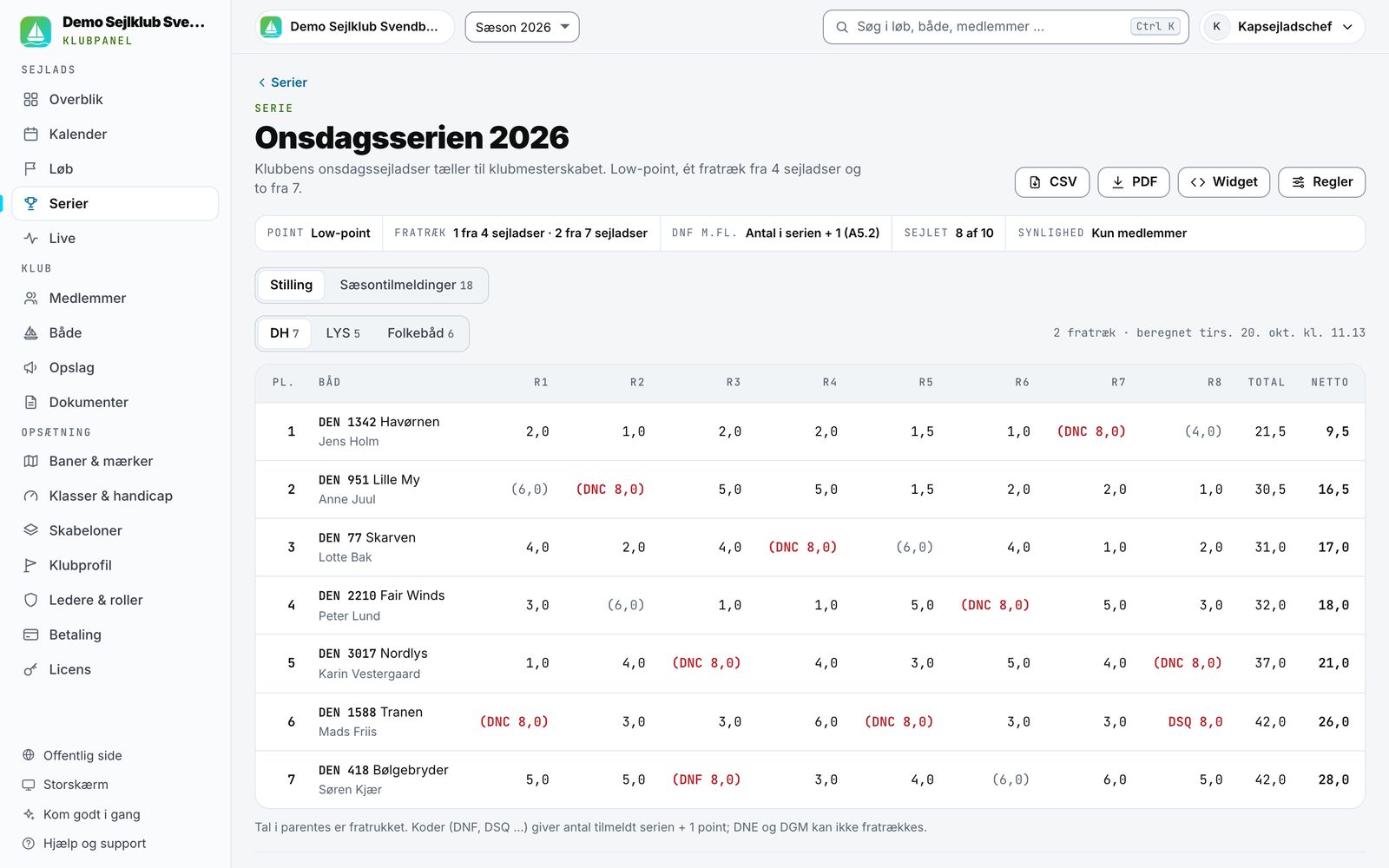
Low-point scoring under the Racing Rules of Sailing with discards. The series table updates itself after every race.
Share a link or put a QR code up in the clubhouse. Sail number, boat type, class and crew — guests without the app included.
Payment happens on entry, and the money goes straight to the club's own Stripe account. Refunds on cancellation with one click.
Maximum number of boats, automatic waiting list and promotion, race numbers and reminders the day before and an hour before the start.
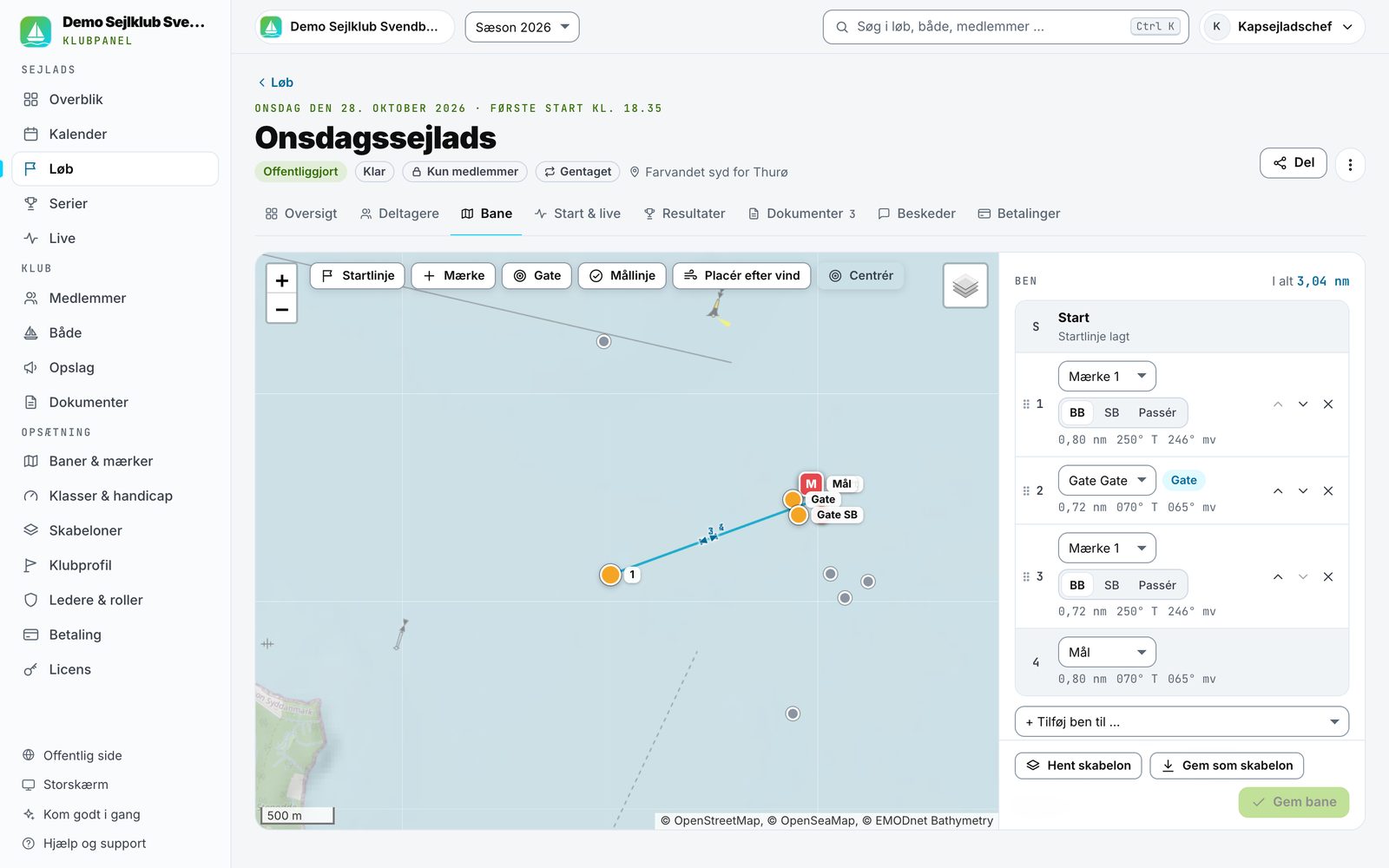
Drag marks onto a chart with depth contours and sea marks. Gates, start and finish lines, saved club marks and course templates.
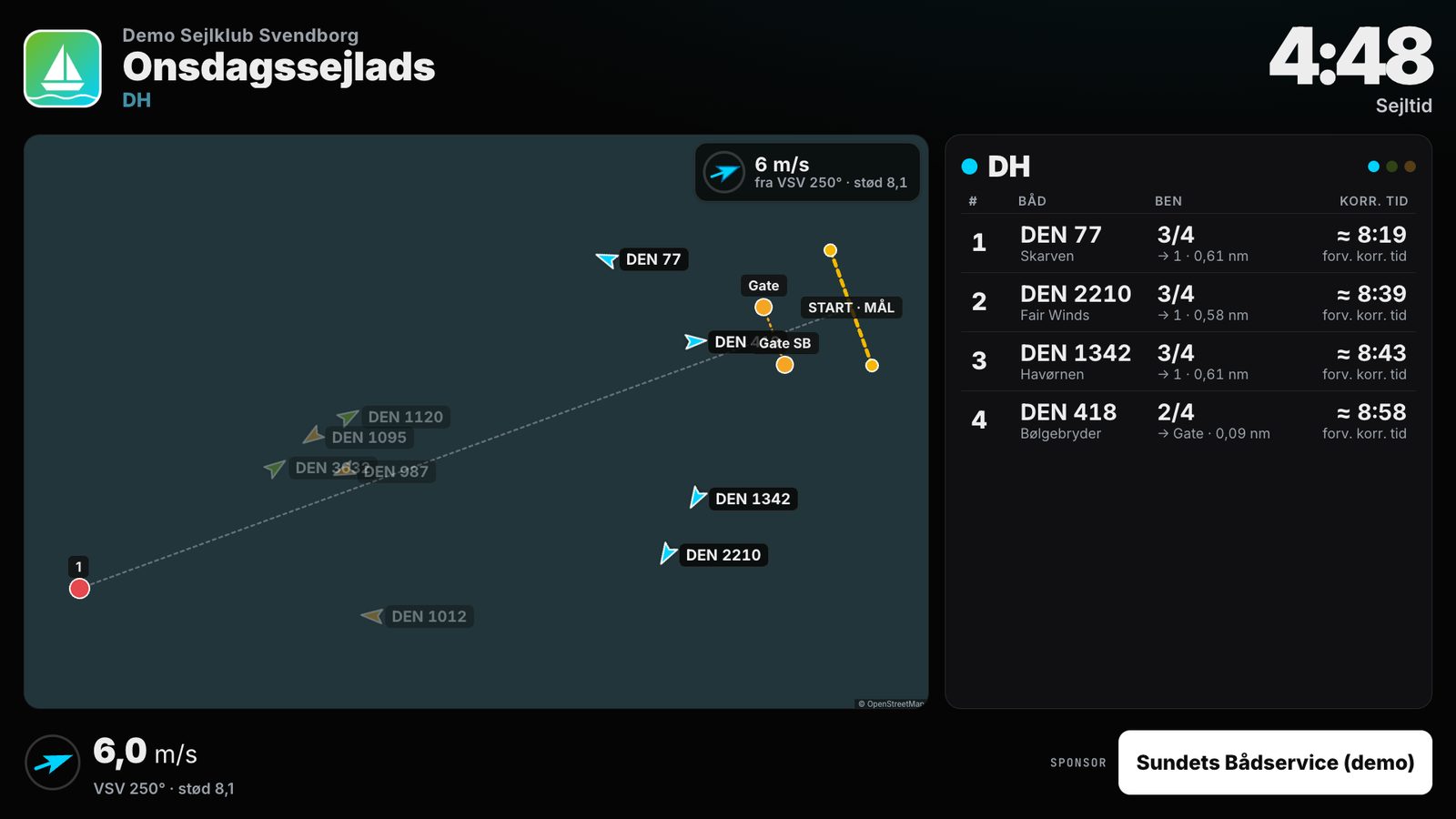
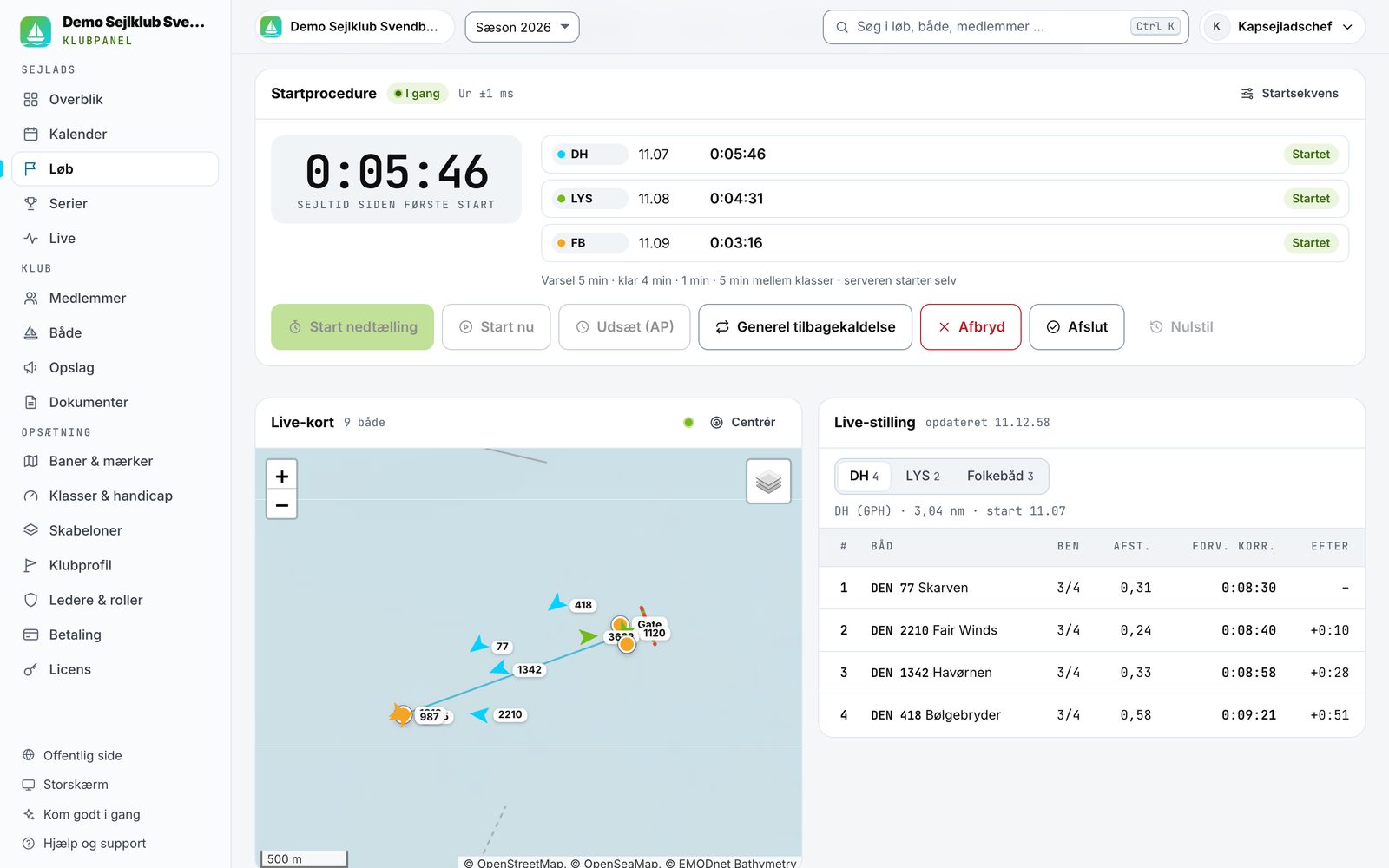
Sailors tap "we're racing" in the app. The race officer sees who is out before the start gun.
Family and club mates follow the race on their phones — or the club makes the race private or delayed.
Chart, clock and live standings, readable from five metres. Countdown before the start, podium and full results afterwards.
DH/GPH, LYS, ORC and One Design. Corrected times are calculated automatically from the finish and the course length.
A big FINISH button on a tablet, sail numbers sorted by distance to the finish line, codes such as DNF, OCS and DSQ — even offline.
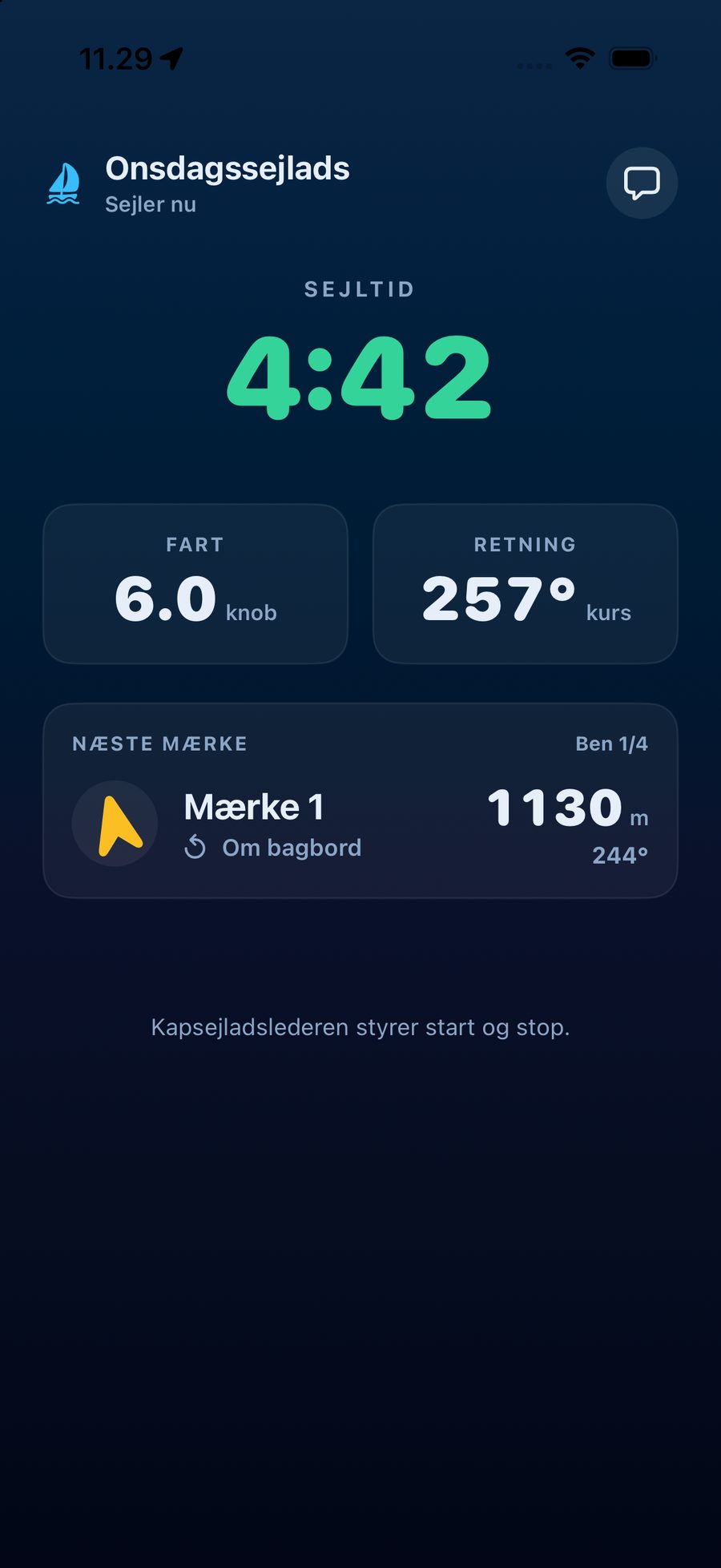
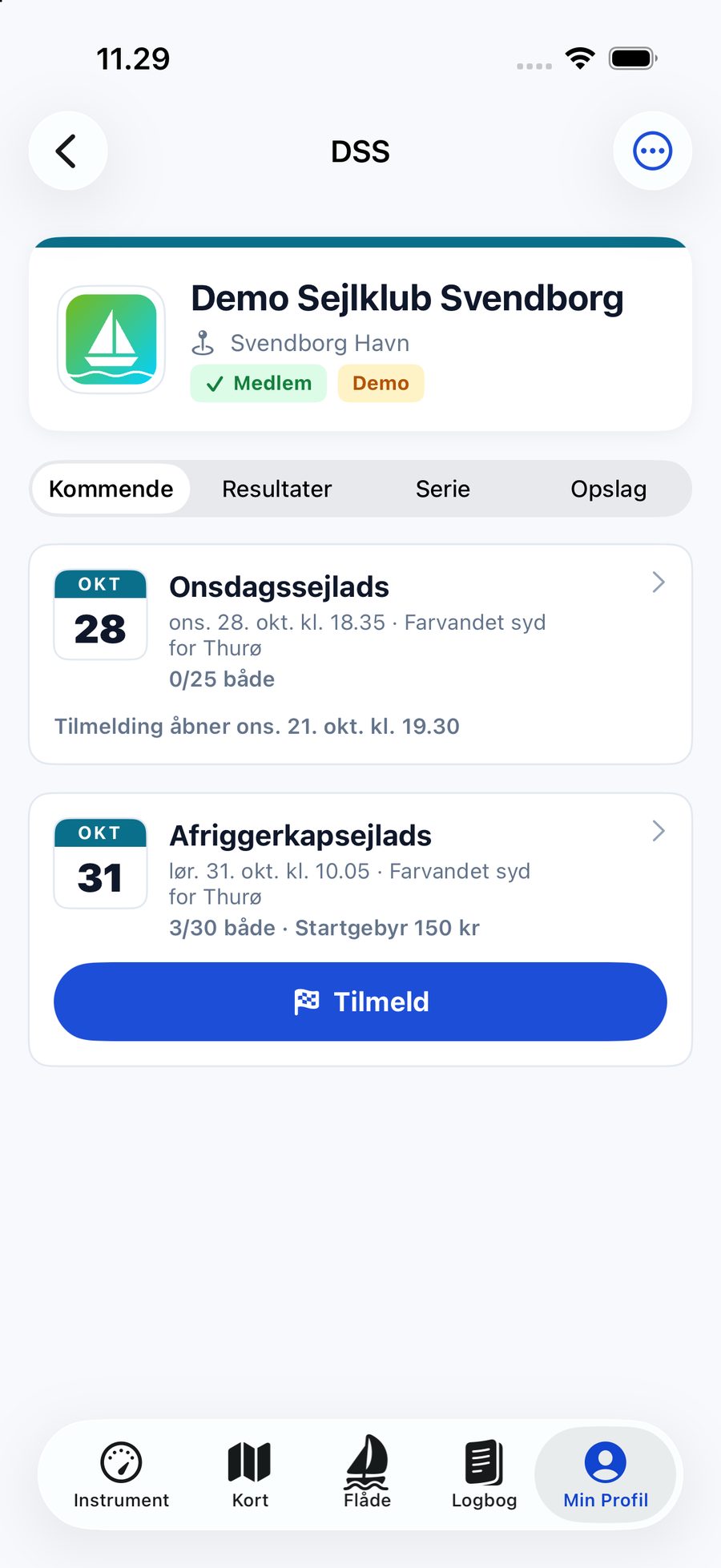
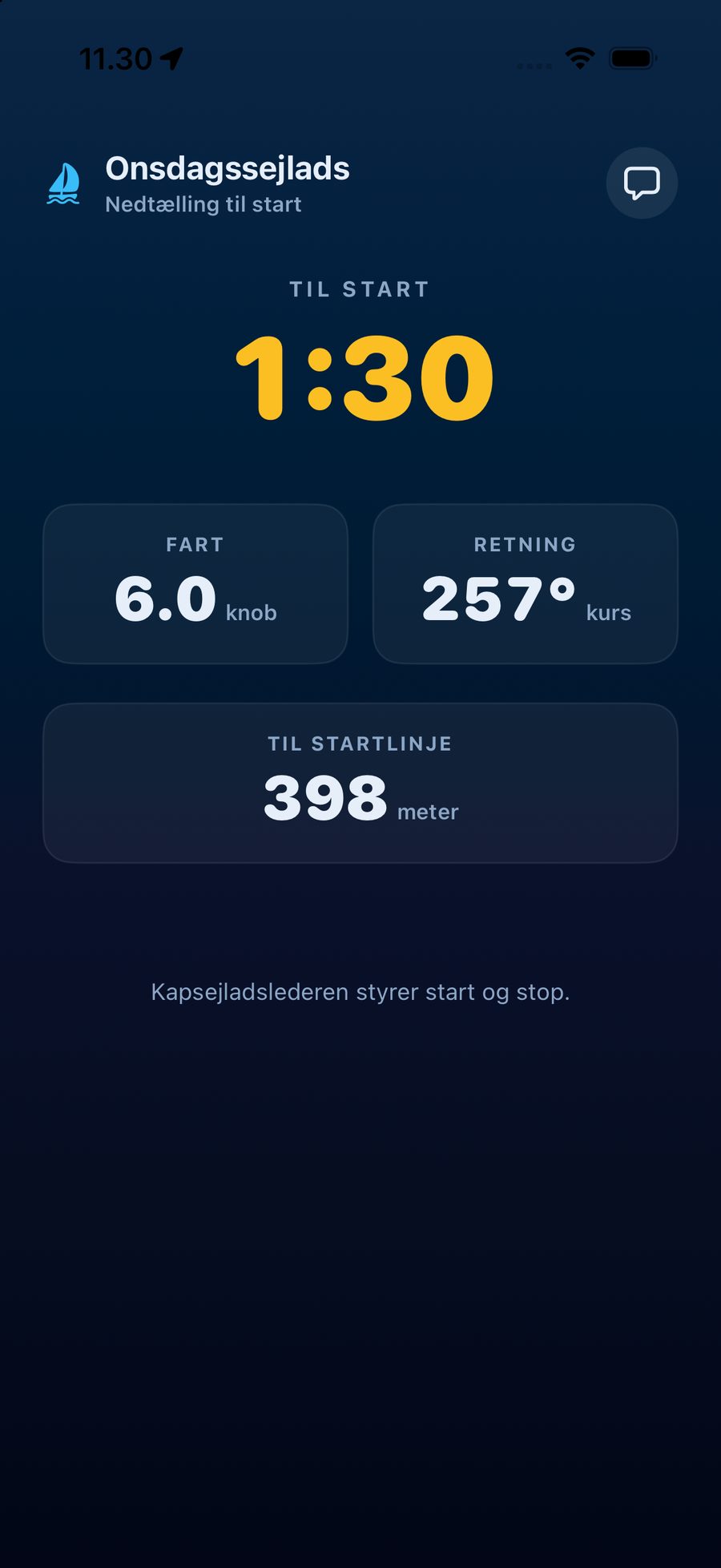
The club's page in Sailing Log: enter with one tap, a push with your race number, the next mark in race mode and personal racing statistics.
How it works
A guide walks you through the first race, so nobody has to read a manual before the season can start.
Officers, screen and sailors
The officer panel runs the start, the big screen shows the race in the clubhouse, and sailors get the countdown and next mark in their own app. Competitors do not see each other's positions during the race — only the officers, the big screen and the public live page do.
Pricing
Every plan has every feature. The only difference is how many of the club's own boats are included. Guest boats from other clubs do not count.
Up to 25 club boats
INCL. VAT · 30 DAYS FREE
Up to 75 club boats
INCL. VAT · 30 DAYS FREE
Unlimited club boats
INCL. VAT · 30 DAYS FREE
Prices are per season (12 months) including Danish VAT. The trial needs no card, and when the 30 days are up the club becomes read-only — nothing is deleted. The licence is paid by card and renews every year until you cancel. Entry fees from sailors go straight to the club's own Stripe account; Stripe charges its usual transaction fee.
The demo club
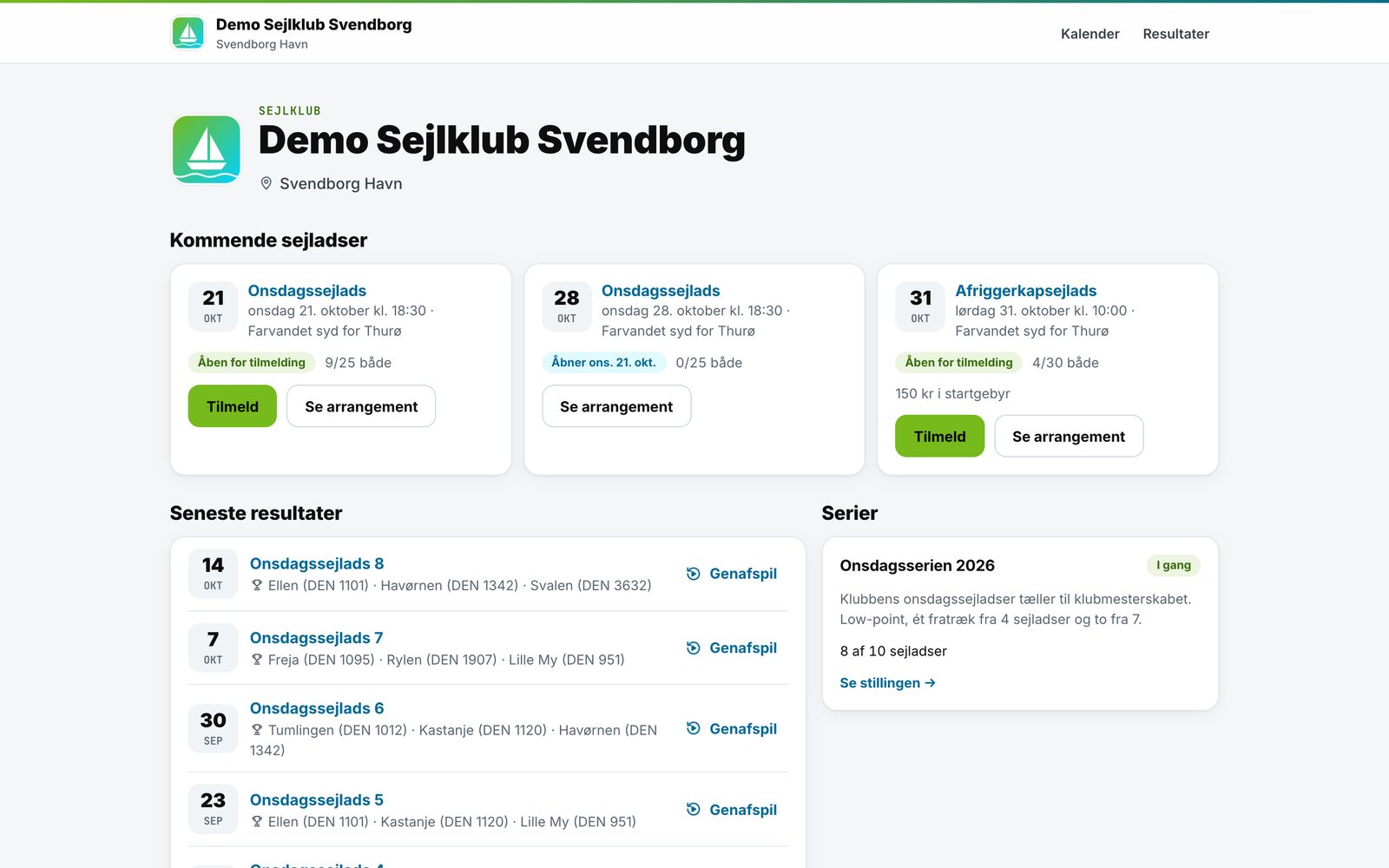
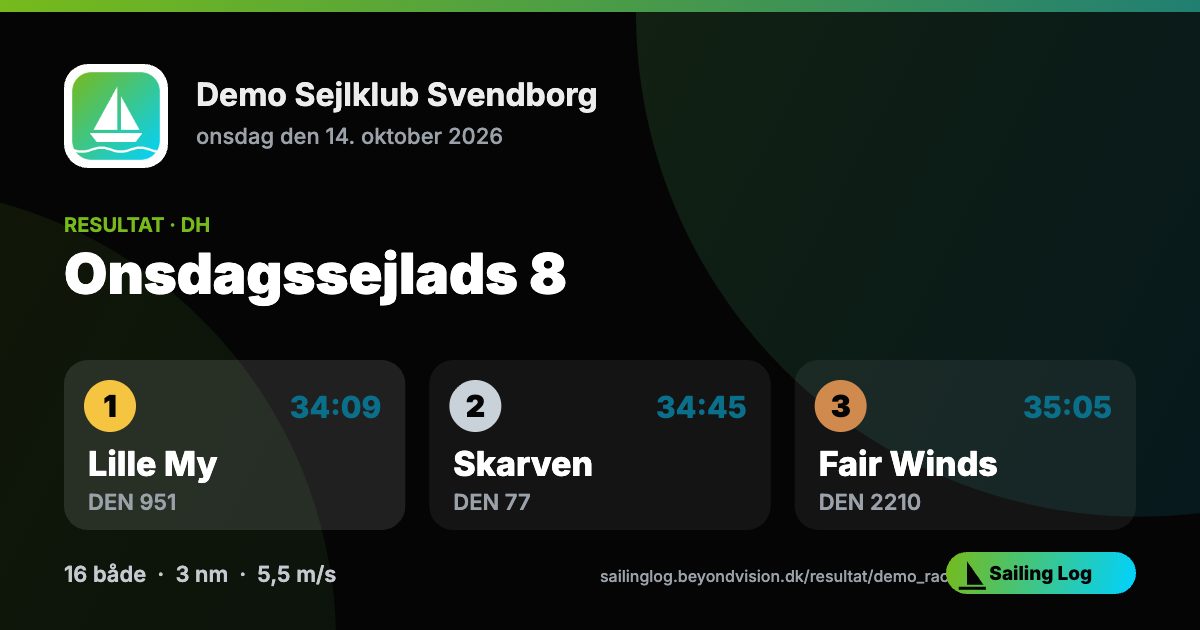
Demo Sejlklub Svendborg has a full season of Wednesday races, three classes, a series, results and replays — and a race that is open for entries.
Questions we often get
Yes. The prices on this page are yearly prices including 25% Danish VAT, and you receive an invoice with the VAT itemised when the licence is paid.
Yes. The entry page accepts MobilePay and cards (including Apple Pay and Google Pay). The club sets the fee per race or per series.
The club — directly. Payments go to the club's own Stripe account and are paid out to the club's bank account. Beyond Vision never touches the money and adds no fee on top; Stripe charges its usual transaction fee.
No. Sailors can enter and pay on the web, and the race officer can register boats without the app. Live tracking, automatic finishes and the countdown on board need the app, which is free on iPhone and Android. Boats without the app get their finish time from finish-boat mode.
The club is the data controller for its members, entries and results, and Beyond Vision is the data processor. You get a data processing agreement. Data is stored on our own server in the EU, email, phone and crew names are never shown publicly, and guests' contact details are deleted automatically 12 months after the race.
Any time in the officer panel. The licence runs to the end of the season and is not renewed. Afterwards the club becomes read-only: results and public pages stay up, and you can still export everything. Nothing is deleted unless you ask us to.
Choose a plan and everything continues without interruption. If you don't, the club becomes read-only — and a race that is under way always runs to the finish.
The old panel keeps working. When you create a club, your existing races can be moved in, so results and replays are not lost.
Ready for the season?
Create the club in a couple of minutes, or let us show you everything in a short online meeting.